Apple has spent the last few years treating the Home app like a side project. A new automation type here, a Matter checkbox there, but nothing that made you sit up. That changed at WWDC 2026. The keynote on 8 June delivered what Apple itself is calling the biggest Home update since it adopted Matter — and for once, the marketing isn’t overselling it.
If you run an Apple-centric smart home in an HDB flat or condo, iOS 27 is the release you’ve been waiting for. But there’s a gap between the keynote slides and what actually lands in your living room in Toa Payoh. Here’s what’s real, what it needs, and whether it’s worth rearranging your setup over.
What Apple actually announced
The headline features in iOS 27 (and the matching tvOS 27 and HomePod software) break down into four buckets that matter for daily use:
- 4K HomeKit Secure Video. Compatible cameras can finally record at 4K instead of the long-standing 1080p ceiling.
- Native energy monitoring. Matter smart plugs can now report power consumption directly inside the Home app, no manufacturer app required.
- Thread 1.4 and faster onboarding. A more robust Thread networking stack, plus a redesigned setup flow where you name devices and pick icons during pairing.
- Apple Intelligence in the Home app. On-device video analysis, natural-language search of your camera history (“show me package deliveries”), and the ability to describe an automation in plain English instead of building it trigger-by-trigger.
None of this is vapourware in the way Apple’s “more personalised Siri” promises were last year. These are shipping in the iOS 27 developer beta now, with a public release expected on Apple’s usual September cadence. The detailed breakdown from AppleHome Authority and Matter Alpha lines up with what Apple demoed on stage.
Let’s go through the ones that genuinely change things for a Singapore home.
Native energy monitoring is the sleeper feature
Everyone’s going to lead with 4K cameras. They’re wrong. For Singapore, the quiet winner is energy monitoring baked into the Home app.
Here’s why it matters more here than almost anywhere else. The regulated tariff for April–June 2026 is 29.72 cents per kWh including GST (27.27 cents before tax), per SP Group — a 2.1% bump over the previous quarter. Between aircon running half the night and a water heater that’s basically a kettle bolted to your wall, the average HDB household’s bill is dominated by a handful of high-draw appliances. Knowing exactly which ones, in real time, is the first step to doing anything about it.
Until now, getting that data inside Apple Home was impossible. You’d buy a smart plug with energy monitoring, then bounce out to the manufacturer’s app to actually see the numbers. iOS 27 changes that: any Matter smart plug that exposes power metering — the Eve Energy is the textbook example — now surfaces its consumption right in the Home app, alongside everything else. You can build automations on it, glance at it next to your cameras, and stop app-hopping.
This is the native, platform-level version of something we’ve been recommending you cobble together for a while. If you want the full picture — clamp-style whole-home meters versus per-plug monitoring versus reading your SP smart meter directly — our guide to whole-home energy monitoring for Singapore HDBs and condos still holds up, and iOS 27 slots neatly into the per-device end of that spectrum. For picking the actual plugs, our smart plugs with energy monitoring rundown is the place to start.
The honest caveat: this only works with Matter plugs that report energy. A lot of the cheap Tapo and Wi-Fi plugs floating around Lazada do energy monitoring in their own app but aren’t Matter energy devices, so they won’t feed the Home app’s new dashboard. Check the spec sheet for “Matter” and “energy/power reporting” before you buy, or you’ll be disappointed.
4K HomeKit Secure Video: real, but you’ll need new hardware
The jump from 1080p to 4K HomeKit Secure Video is genuinely overdue. Apple held the line at 1080p for years while every other camera ecosystem moved to 2K and 4K. The upgrade means sharper footage — easier to read a face at your gate, a licence plate in the carpark, or what the delivery rider actually left outside your unit.
But read the fine print. 4K HSV needs a 4K-capable camera, and most cameras that support HomeKit Secure Video today top out below that. The excellent Aqara Camera Hub G5 Pro — arguably the best HomeKit camera you can buy locally, at around S$399 — is a 4MP sensor, not a true 4K one. It’s still a fantastic camera (9to5Mac still rates it as one of the best outdoor HomeKit options in 2026), and it’ll benefit from the other iOS 27 improvements, but you won’t magically get 4K recording out of hardware that doesn’t shoot 4K.
So the 4K headline is really a “future cameras will be better” story. If you already own a good HSV camera, the more immediately useful upgrade is the Apple Intelligence layer on top of it: on-device analysis that tags events as people, animals, vehicles or packages, and a natural-language search that lets you type “person at the door last night” instead of scrubbing through hours of clips. That works on your existing footage and is the part you’ll use every day.
A reminder that’s easy to forget: HomeKit Secure Video of any resolution requires an iCloud+ subscription and a home hub sitting in your flat. No hub, no HSV, no remote access, no automations running while you’re at work. More on the hub in a second.
If you’re still choosing cameras, our guide to the best Matter-compatible security cameras for Singapore homes walks through the HSV-friendly options.
Thread 1.4 and the concrete-wall problem
This one’s nerdy but important for the way Singaporeans actually live. HDB and older condo walls are thick reinforced concrete, which is brutal for any wireless mesh. Thread — the low-power mesh that underpins a lot of Matter devices — lives or dies on having enough mains-powered “router” nodes to hop signals around those walls.
Thread 1.4 brings a more robust networking stack and better interoperability between border routers from different brands, which is exactly the pain point in a mixed home where your Apple TV, a HomePod and an Aqara hub are all trying to run Thread at once. In practice it should mean fewer “device not responding” moments when a sensor at the far end of the flat drops off the mesh.
It’s not a magic fix for concrete, though. You still need to think about node placement and border-router coverage. We went deep on this — where to put your Thread routers, how many you need, and why a single border router won’t cut it across a four-room flat — in our guide to building a bulletproof Matter mesh through concrete walls. iOS 27 makes the software side more forgiving; the physics of your walls is still on you.
Setup and Siri: the small things that add up
Two quality-of-life changes round out the release.
The redesigned onboarding lets you name a device and assign it a room and icon during pairing, with proper pause and cancel options if a device misbehaves halfway through. Anyone who’s set up a dozen Aqara sensors in one sitting knows how much friction the old flow added. It’s not glamorous, but it’s the kind of thing you notice every time you add a gadget.
The rebuilt Siri and Shortcuts integration is the more ambitious bet. You can now describe an automation in natural language — “when I leave work, turn on the aircon and send my wife my ETA” — and have the Home app assemble it, rather than hand-building each trigger and action. Apple’s natural-language automation is promising, and if it works as smoothly as the demo, it lowers the barrier for the non-tinkerers in your household.
Temper your expectations here. Apple’s track record on Siri intelligence has been rough, and “describe it in English” features tend to be impressive in a controlled keynote and fiddly in a real flat full of oddly named devices. Treat this as a bonus, not a reason to buy in.
What you actually need to use any of this
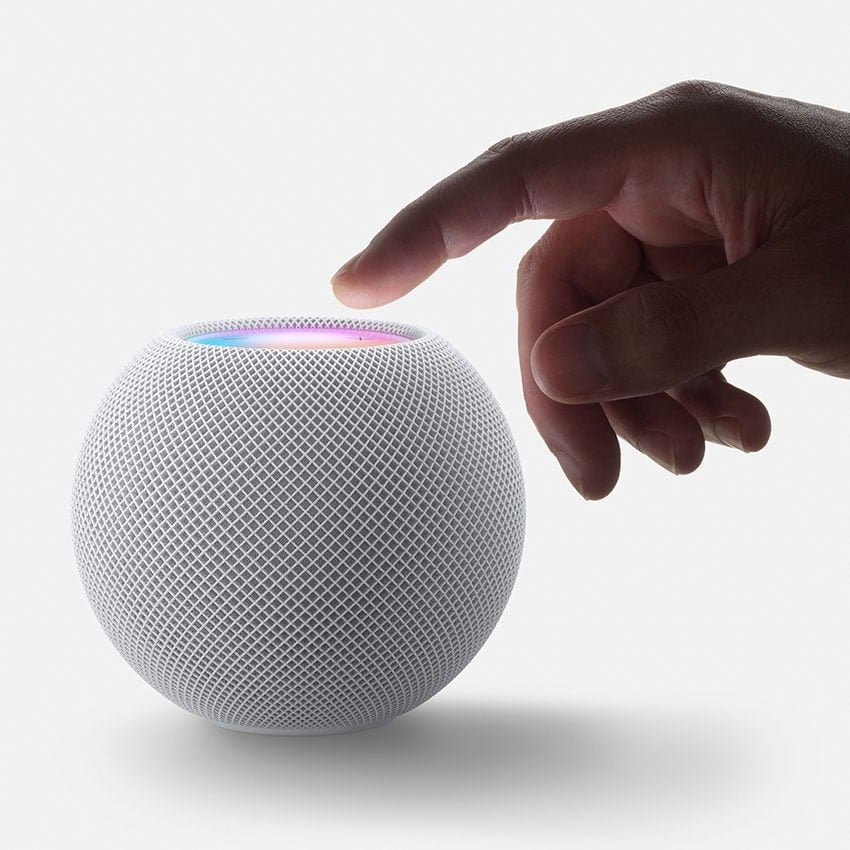
Here’s the reality check, because the keynote glosses over it. Apple Home does almost nothing useful without a home hub physically in your home — a HomePod, HomePod mini, or Apple TV 4K. The hub is what runs automations, enables remote access, and makes HomeKit Secure Video work. Your iPhone alone won’t cut it.
The cheapest way in is a HomePod mini, which goes for roughly S$140 at local retailers, or an Apple TV 4K at around S$200 if you also want it doing living-room duty. Either one anchors the whole system. If you’re starting from scratch, homesmart.sg has a straightforward Apple Home setup guide and an Apple Home starter pack that bundles the essentials so you’re not guessing at compatibility.
The full shopping list to get the most out of iOS 27:
- A home hub (HomePod mini / Apple TV 4K) — non-negotiable.
- An iCloud+ plan if you want HomeKit Secure Video.
- Matter energy-reporting smart plugs for the new energy dashboard.
- A good HSV camera like the Aqara G5 Pro for the camera intelligence features.
- A few mains-powered Thread devices to keep your mesh healthy through concrete.
Should Singapore Apple users care?
Yes — more than any Home update in years. The energy monitoring alone justifies the upgrade in a market where electricity is this expensive and aircon is this unavoidable. The camera intelligence is a real day-to-day improvement on footage you already have. Thread 1.4 quietly fixes a problem that’s plagued local meshes since Matter launched.
Just go in clear-eyed. The 4K camera headline needs hardware most of us don’t own yet. The Siri automation magic is unproven. And none of it replaces a properly planned hub-and-mesh foundation. If you’re weighing Apple Home against the alternatives before committing, our SmartThings vs Google Home vs Apple Home breakdown is worth a read first — because iOS 27, as good as it is, only pays off if you’ve already decided Apple is the brain of your home.
For everyone already in the Apple camp: update when the public release lands, buy a Matter energy plug, and finally find out what’s eating your electricity bill.