Here’s a very Singaporean smart home problem: you’ve got Matter locks, presence sensors that know which room you’re in, and an aircon you can control from the MRT — but the ceiling fan spinning above your head is still controlled by a wall regulator or a chunky remote you can never find. In a country where the fan runs from the moment you wake up until you fall asleep, that’s a strange gap to leave un-automated.
The good news is that in 2026, making a ceiling fan smart in Singapore is genuinely doable — and often cheaper than you’d think. The less-good news is that ceiling fans remain the stubborn holdout of the smart home, and the marketing around them is riddled with half-truths. So let me give you the honest version: what actually works, what it costs in SGD, and where the “smart” label is doing some heavy lifting.
Why bother making a ceiling fan smart?
Two reasons, and only one of them is about convenience.
The first is energy. Almost every new “smart” ceiling fan in Singapore uses a DC (direct current) motor, and that’s the real headline. A DC motor draws up to around 60% less electricity than the old AC motors, runs noticeably quieter, and typically gives you more speed steps (6 to 10 instead of the classic 3). In a flat where the fan is on 12–18 hours a day, that efficiency gap pays for the fan’s price premium within a couple of years. If you’ve been reading our take on slashing your HDB energy bill, swapping a 20-year-old AC fan for a DC one is one of the highest-impact moves you can make.
The second is automation. A truly smart fan lets you do things a remote never could: ramp the fan down automatically at 3am when the room cools, kick it on when a presence sensor sees you enter, tie it to a “goodnight” scene alongside your lights and aircon, or run it on a schedule so the flat is already moving air before you get home. Paired with your aircon control setup, a fan that automations can reach lets you push the aircon a degree or two warmer and still feel cool — which loops right back to reason number one.
The uncomfortable truth about Matter and Apple Home
Before you spend a cent, understand this, because no shop in Singapore will tell you: as of mid-2026, there is essentially no mainstream ceiling fan sold in Singapore that supports Matter or Apple Home natively.
The entire local smart-fan market — KDK, Crestar, Fanco, and the Tuya-based no-name brands — runs on Wi-Fi through a manufacturer app, with voice control bolted on via Google Home and Amazon Alexa. That’s it. If you’re an iPhone household running Apple Home, none of these will show up in the Home app out of the box.
The first ceiling fans built on Matter from the ground up came from Hunter, whose HunterSMART line was unveiled at CES 2026 with native Apple Home, Google Home, Alexa and SmartThings support (AppleInsider has the rundown). The catch: Hunter is a US brand with essentially no retail presence here, and their fan aesthetic is built for American ceilings, not compact HDB living rooms. If you want the full global picture on Matter fans from Hunter, Big Ass and Bond, our sister site covers it in their smart ceiling fan buyer’s guide. For Singapore buyers shopping locally today, plan around Google/Alexa and app control — and if you’re an Apple Home diehard, jump to the workaround section below.
With expectations set correctly, here are your two realistic paths.
Path 1: Buy a new smart DC ceiling fan
If you’re renovating, moving in, or your old fan is on its last bearings, just buy a fan that’s smart from the factory. Three brands dominate the shelves.
KDK Airy (E48GP and family)
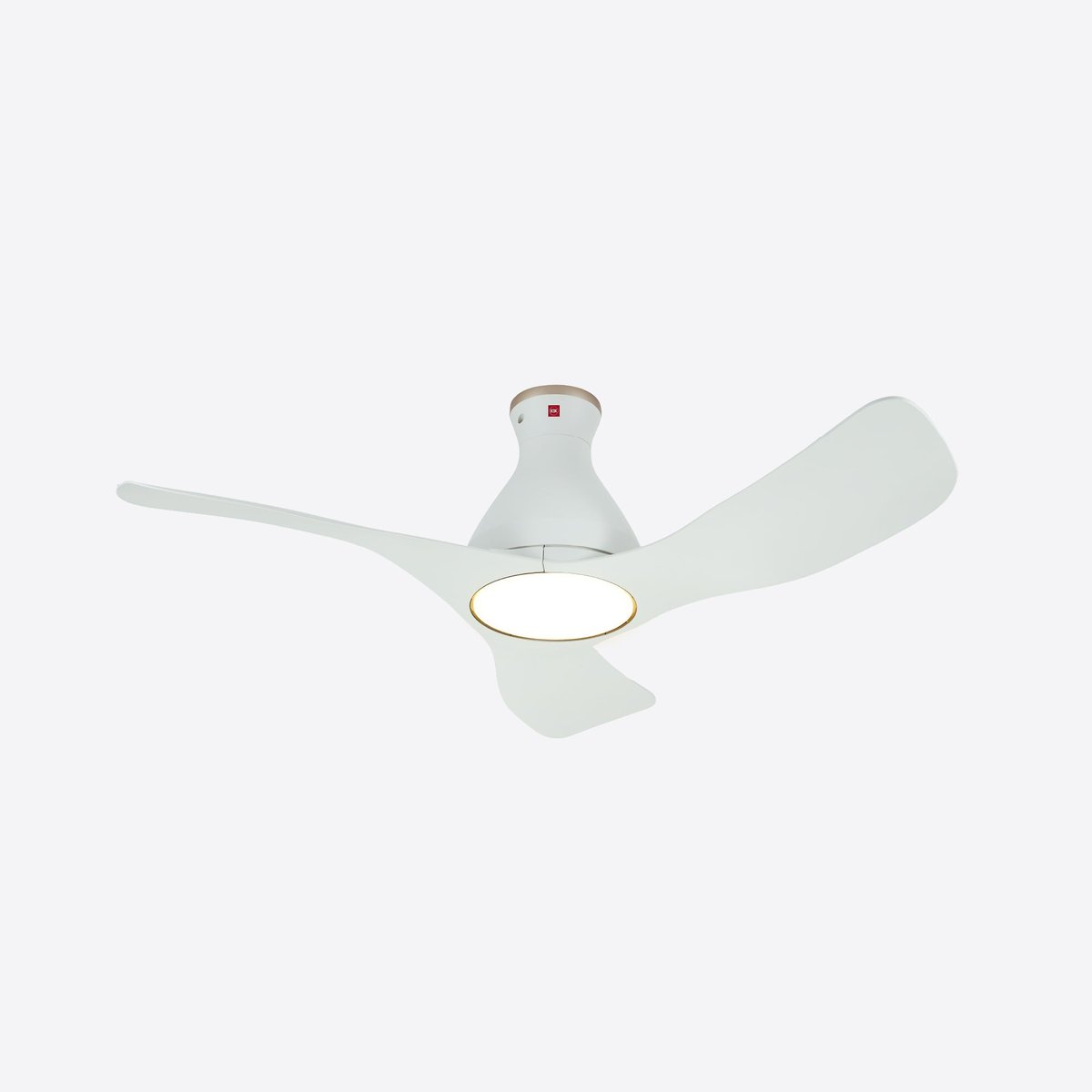
KDK is the Toyota of Singapore ceiling fans — everywhere, boringly reliable, and the default recommendation for a reason. Their Wi-Fi range is branded “Airy,” and the KDK E48GP is the sweet spot: a 48-inch (120cm) three-blade DC fan with an integrated dimmable, colour-adjustable LED. It gives you 10 speed steps, KDK’s signature 1/f Yuragi “natural breeze” mode, and full control through the KDK Wi-Fi app over 2.4GHz. Expect to pay around S$458 on offer, up to roughly S$578 at list, depending on the retailer.
If you want variations: the E48HP is the same fan without a light (good for rooms with separate lighting), the F40GP is a compact 40-inch version for smaller bedrooms, and the H56GP stretches to a 56-inch (140cm) span for larger living rooms. All are DC, all Wi-Fi. The trade-off with KDK is that its smart features live mostly inside its own app — treat the app and scheduling as the main event, with voice-assistant support as a nice-to-have rather than a guarantee on every model.
Crestar (Airis+, Altis+, Hiro)
Crestar has leaned hard into the smart category and, usefully, its fans advertise Google Assistant and Amazon Alexa compatibility alongside the app. The lineup on Crestar’s smart fan page is worth a look:
- Airis+ — the flexible workhorse, in 3 or 5 blades and sizes from 33 to 56 inches, with an optional dimmable LED. Roughly S$359–632 depending on size and configuration.
- Altis+ — a hugger design that sits close to the ceiling, which is exactly what you want in an HDB bedroom with a standard 2.6m ceiling and a bedframe you don’t want to lose your fingers over. Around S$436–610.
- Hiro — a design-forward 3-blade option with tri-colour LED and wood-grain finish, about S$401–488.
Crestar’s spread of sizes and the hugger option make it the most HDB-friendly of the three brands.
Fanco Rito 5
Fanco is the value pick, and the Rito 5 is its smart hero: a hugger DC fan with five blades (48 or 54 inches), a 24W tri-colour LED kit, and a 6-speed reversible motor. Cleverly, Fanco sells the Wi-Fi as a module — you can buy the Rito 5 around S$248 and add the Wi-Fi module for roughly S$50 if and when you want it. It runs on the Smart Life (Tuya) app, so it slots neatly into Google Home and Alexa, and — bonus for tinkerers — Tuya devices are among the easiest to pull into Home Assistant. Just note that, like the others, there’s no native HomeKit or Matter.
Path 2: Retrofit the fan you already own — the Sonoff iFan04-L
Here’s the move most people miss. If your existing fan works fine and you don’t want to spend S$400+ replacing it, you can make an ordinary AC ceiling fan smart for around the price of a nice lunch.
The Sonoff iFan04-L is a small controller that tucks inside your fan’s canopy (the cover where it meets the ceiling), wired between the mains and your existing fan-and-light. Once in, you get:
- App control via eWeLink over 2.4GHz Wi-Fi — no hub required
- A physical 433MHz RF remote (the RM433) included in the box, which you can wall-mount as a pseudo-switch
- Voice control through Amazon Alexa and Google Home
- Independent control of three fan speeds plus the light
It’s available on Amazon.sg and stocked by local Sonoff resellers, typically for a very modest sum. Two honest caveats. First, it’s designed for AC fans with standard speed windings — it’s not the tool for a DC fan (those bring their own controller). Second, installation means working inside the fan canopy at mains voltage; if you’re not comfortable there, get an electrician for the 20-minute job. This is genuinely the cheapest way to get a whole ceiling fan into Google Home, Alexa and Home Assistant, which is why it’s a fan-favourite among the tinkering crowd.
What if I’m on Apple Home?
Since none of the above speaks HomeKit natively, iPhone households have three options, in ascending order of effort:
- Bridge it. Run Home Assistant or Homebridge on a spare Pi or mini-PC, pull the fan in via its cloud integration (eWeLink/Tuya), and expose it to Apple Home. This gives you full speed control in the Home app and is the route most local enthusiasts take.
- Flash it. The Sonoff iFan04-L can be re-flashed with ESPHome or Tasmota for local, cloud-free control — but be warned, it needs soldering, as this model doesn’t support Sonoff’s over-the-air DIY mode. Advanced-users only.
- Settle for on/off. If you only care about switching the fan on and off from Apple Home (not changing speed), an in-wall smart relay does the job through the fan’s power line. Aqara’s Dual Relay Module T2 is a Zigbee relay that tucks behind a wall switch and, through an Aqara hub, exposes to both HomeKit and Matter — handy if your fan is already wired to a wall control and you just want scenes and voice to toggle it. It won’t manage fan speed, so pair it with the fan’s own remote for that.
Which one should you actually buy?
- New flat or renovating, want it simple: A Crestar Altis+ hugger or a KDK E48GP. Both are DC, quiet, efficient and controllable from an app. Crestar edges ahead if voice control matters to you; KDK wins on long-term reliability and service network.
- On a budget but buying new: The Fanco Rito 5 at ~S$248 plus the S$50 Wi-Fi module is the best value smart DC fan in Singapore right now.
- Existing fan that works fine: Don’t replace it — fit a Sonoff iFan04-L and pocket the difference.
- Deep into Apple Home: Retrofit with the Sonoff and bridge it through Home Assistant, or accept on/off-only control via an Aqara relay.
A quick reality check on the “smart” premium: if you rarely automate anything and just want to stop hunting for the remote, a basic DC fan with a normal remote already saves you the most money through efficiency. Add the smarts when you actually have automations — a bedtime scene, a presence trigger, a schedule — for them to plug into. That’s the same honest advice we gave for smart standing and tower fans: buy the automation for the routine you’ll really use, not for the spec sheet.
The bottom line
Singapore’s ceiling fan market has quietly become smart-capable, and for once the local brands — KDK, Crestar and Fanco — are the right call rather than an imported afterthought. The winning combination is a DC motor for the energy savings and Wi-Fi for the automations, with your platform choice (Google or Alexa) sorted before you buy. Just walk in with clear eyes: this is a Google/Alexa-and-app world, not a Matter one, and Apple Home users will need a bridge. Do that, and the last dumb device hanging from your ceiling finally joins the rest of your smart home.