Remember when a light switch was just a light switch? Those days are over. The latest generation of smart home touchscreen control panels lets you manage your entire home — lights, curtains, aircon, cameras — from a sleek screen mounted right where your old switch used to be. For Singapore homeowners living in compact HDBs and condos, these panels are a game-changer: one device replaces a wall of switches and eliminates the need to fumble with your phone every time you want to adjust something.
The category has exploded in 2026, with options ranging from S$140 to over S$500. But which one actually makes sense for your home? I have tested and researched the top contenders available in Singapore right now.
What to Look for in a Smart Home Control Panel
Before dropping hundreds on a fancy screen, here is what actually matters for Singapore homes.
Display Size and Resolution
Bigger is not always better in an HDB corridor. A 4-inch screen is fine for switching scenes, while a 6-7 inch display starts to feel like a mini tablet on your wall — great for viewing camera feeds, but it takes up more space behind the wall box.
Protocol Support
This is where things get tricky. Look for panels that support Zigbee (the most common protocol for Aqara, IKEA, and Xiaomi sensors), Wi-Fi (for direct cloud access), and ideally Matter for future-proofing. If you are already invested in a Zigbee-to-Matter bridge setup, make sure your panel plays nicely with your existing hub.
Load Capacity
Singapore HDBs typically run 220-240V circuits. Most panels handle up to 2200W for incandescent loads and around 400W for LED loads — plenty for lighting circuits. But if you are wiring to a water heater or aircon, double-check the amp rating.
Neutral Wire Requirement
Nearly every touchscreen panel on the market requires a neutral wire. The good news: most Singapore HDBs built after the 1990s have neutral wires at switch points. Older resale flats might not — get an electrician to check before you buy.
Hub Function
Some panels double as a Zigbee gateway, which means fewer devices cluttering your home. If you do not already own a hub, a panel with built-in gateway support can save you S$100-200.
Aqara MagicPad S1 Plus: The Premium Pick
Price: S$499-539 | Display: 6.9-inch (1440x720) | Protocols: Wi-Fi, Zigbee 3.0, Bluetooth | Switches: 3 wired + 6 wireless
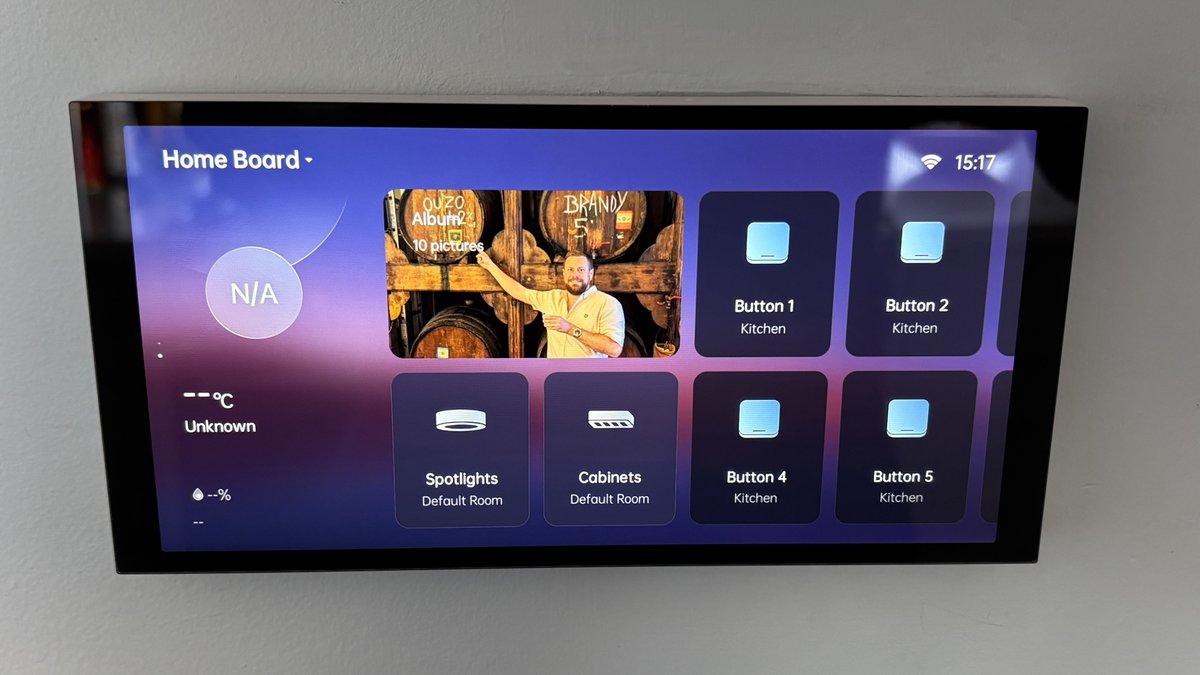
The Aqara MagicPad S1 Plus is the undisputed king of smart home wall panels. That 6.9-inch display dominates the wall in the best possible way — it is sharp enough for camera feeds, responsive enough for quick scene switches, and customisable enough to match your interior with downloadable themes and personal photos.
What sets it apart is the built-in Zigbee gateway. Pair it with Aqara door sensors, motion sensors, and temperature sensors without needing a separate hub. The four-microphone array and dual speakers mean you can have two-way conversations through your Aqara doorbell or cameras directly from the wall — no phone needed.
The three physical switches handle up to 2200W each (incandescent) or 400W (LED), and you get six additional wireless scene buttons on the touchscreen. Set one for “Good Morning” (lights on, curtains open, aircon off) and another for “Movie Night” (dim lights, close curtains, TV scene).
The catch? It does not natively support Matter or Thread — you will need an Aqara M3 Hub to bridge it to Apple Home or other Matter ecosystems. And at nearly S$500, it is a serious investment. But if you are going all-in on Aqara’s ecosystem, nothing else comes close.
Best for: Aqara ecosystem users who want a premium, all-in-one command centre for their HDB or condo.
Aqara Panel Switch S100: The Sweet Spot
Price: S$140-159 | Display: 2.8-inch (480x480) | Protocols: Wi-Fi, Zigbee 3.0 | Switches: 3 wired + 6 wireless
The Aqara Panel Switch S100 is what most Singapore homeowners should buy. It packs a surprising amount into a standard 86mm wall box at a third of the MagicPad’s price.
The compact touchscreen displays customisable layouts — you can configure it to show lighting controls, climate status, or scene triggers depending on the room. It supports multiple themes and layouts, so the bedroom panel can look different from the living room one. The display is responsive and bright, though obviously you are not watching camera feeds on a 2.8-inch screen.
Like its bigger sibling, the S100 includes three wired switches and six wireless scene buttons. It also serves as a Zigbee gateway, though with fewer connected devices supported compared to the MagicPad. Wi-Fi connectivity means it integrates with Aqara Home for remote access and automation.
Where the S100 really shines is value for renovation. If you are outfitting a 4-room HDB with five switch points, you are looking at around S$700-800 for five S100 panels versus S$2,500+ for five MagicPads. That is a meaningful difference, and for most rooms, the S100 does everything you need.
The S100 is available locally from HomeSmart and PFE Tech with Singapore warranty.
Best for: Practical homeowners who want smart touchscreen control without the premium price tag.
Aqara Display Switch V1: Smart Buttons With a Screen
Price: ~S$140-160 | Display: 2.08-inch LCD | Protocols: Zigbee 3.0 (Matter over Bridge) | Switches: 2 wired + 2 wireless
The Aqara Display Switch V1 takes a different approach. Instead of a full touchscreen, it pairs a small 2.08-inch LCD with four physical buttons — two wired switches on the left, two wireless scene triggers on the right. Think of it as a traditional switch that got a brain upgrade.
The LCD displays user-defined text and icons for each button, so you always know which button controls what — a surprisingly useful feature when guests visit. A built-in proximity sensor wakes the screen when you approach, and the display auto-adjusts brightness based on ambient light.
The standout feature here is energy monitoring. The Display Switch V1 tracks power consumption for connected devices and generates daily, weekly, and monthly reports in the Aqara Home app. If you are conscious about your SP electricity bill, having real-time energy data at every switch point adds up to meaningful savings. It also supports Matter via the Aqara hub bridge, so it plays well with Apple Home, Google Home, and other platforms.
The trade-off: It is not a full touchscreen — you cannot swipe through camera feeds or tap custom scenes like on the S100 or MagicPad. But for bedrooms, utility rooms, or hallways where you just need reliable switching with a bit of intelligence, it is a smart choice at a competitive price.
Best for: Homeowners who want energy monitoring and clear button labels without going full touchscreen.
SONOFF NSPanel Pro: The Tinkerer’s Choice
Price: ~S$120-160 (via ITEAD) | Display: 3.95-inch (480x480) | Protocols: Wi-Fi, Zigbee 3.0, Bluetooth | Hub: Zigbee + Matter controller
The SONOFF NSPanel Pro is the wildcard. At roughly S$120-160, it offers a 3.95-inch touchscreen, a built-in Zigbee 3.0 gateway, and — here is the kicker — it functions as a Matter controller, meaning it can manage Matter devices from different brands through the eWeLink app.
The panel runs a custom Android-based OS, which means it can display camera feeds, manage thermostat schedules, show weather information, and even run energy monitoring dashboards. SONOFF also offers a larger 4.7-inch 120-type version for homes with American-style switch boxes, though the standard 86-type fits Singapore’s switch plates.
For Home Assistant enthusiasts, the NSPanel Pro is particularly interesting — the community has developed custom firmware and dashboard integrations that turn it into a powerful HA frontend. If you have already built a Thread mesh through your HDB, the NSPanel Pro can serve as both a control point and a Zigbee coordinator.
The catch: The eWeLink ecosystem is not as polished as Aqara Home, and you will encounter occasional firmware quirks. Build quality is decent but noticeably below Aqara’s fit and finish. And unlike the Aqara panels, the NSPanel Pro does not have physical switches built into the panel itself — it is purely a touchscreen controller that replaces your switch rather than augmenting it.
Best for: Budget-conscious tinkerers and Home Assistant users who want maximum flexibility.
Which Panel Should You Buy?
Here is my honest take for Singapore homeowners:
Renovating your whole flat? Go with the Aqara Panel Switch S100 for most rooms and splurge on one MagicPad S1 Plus for the living room or main hallway. This gives you a premium command centre where you spend the most time, without blowing the budget on bedrooms and utility areas.
Single room upgrade? The MagicPad S1 Plus is worth it if you want the wow factor. The camera feed integration alone justifies it for a living room near the front door.
On a tight budget? The SONOFF NSPanel Pro punches well above its price, especially if you are comfortable with a bit of tinkering.
Want energy tracking? The Aqara Display Switch V1 is the only panel here with built-in energy monitoring — a genuine money-saver for Singapore’s electricity rates.
Installation Tips for Singapore Homes
A few practical notes before you buy:
Hire a licensed electrician. All of these panels require neutral wire connections and proper load calculations. BCA regulations require a licensed electrical worker for any wiring changes in Singapore.
Check your wall box depth. These panels are thicker than standard switches — the MagicPad S1 Plus needs about 42mm of depth behind the wall. Most HDB concrete walls have enough space, but plasterboard partitions in condos might need a deeper box.
Plan your network. Wi-Fi panels need a solid signal at every switch point. If your router is in the living room and you are installing a panel in the master bedroom on the opposite end, consider a mesh system or Wi-Fi extender first.
Start with one. Install a single panel in your most-used room, live with it for a month, and then decide whether to outfit the rest of the house. Smart home upgrades are best done incrementally — your preferences will evolve as you learn the system.
The era of dumb switches is ending. Whether you go premium with the MagicPad or practical with the S100, having a touchscreen on your wall that actually controls your entire home feels like the future we were promised — and for Singapore homeowners in 2026, it is finally here.