Ask any Singaporean renovating a BTO or condo the same question and you’ll get the same sigh: where do I put a 100-inch TV? You don’t. A 100-inch OLED costs more than a used car and won’t fit up the lift anyway. This is exactly why smart projectors have quietly become the most sensible big-screen upgrade for local homes — and in 2026 they’ve finally gotten bright enough, sharp enough, and smart enough to earn a permanent spot in the living room instead of the storeroom.
But “smart projector” covers everything from a S$300 Aliexpress puck to a S$5,000 triple-laser cinema box. And most buyer’s guides ignore the two things that actually matter here: our brutal ambient light (that west-facing HDB sun is not your friend) and how the thing plugs into the rest of your smart home. Let’s fix that.
Why a projector actually makes sense in an HDB
Three reasons, in order of importance.
Screen size per dollar. A decent 4K projector throws a 100-to-120-inch image for the price of a mid-range 65-inch TV. Nothing else gets you cinema scale in a 4-room flat.
It disappears. An ultra-short-throw (UST) model sits on your TV console and fires up at the wall from 20cm away. A portable one lives on a shelf and comes out for movie night. Either way, you reclaim the wall for something other than a giant black rectangle.
It’s a proper smart device now. The good ones run Google TV or a full smart-TV OS with Netflix, Disney+, and YouTube built in, auto-focus and auto-keystone in seconds, and — crucially for readers of this site — hook into Google Home and Apple Home routines. More on that below, because there’s an important catch nobody tells you about.
The trade-off is real, though: projectors hate ambient light. In a bright afternoon living room you’ll want either serious brightness (2,000+ ANSI/ISO lumens) or blackout curtains. Keep that number in mind as we go.
The premium pick: Hisense C2 Ultra
If budget isn’t the constraint, the Hisense C2 Ultra is the one to beat. It’s a compact “mini” projector with a built-in motorised gimbal, so you can plonk it on a coffee table or side shelf, let it tilt itself at the wall, and it auto-focuses and auto-keystones in under 30 seconds. No ceiling mount, no drilling — a big deal for anyone who can’t touch the walls.
The picture is genuinely excellent. It uses a full RGB triple-laser engine at 4K, rated at 3,000 ANSI lumens with 110% of the BT.2020 colour gamut and Dolby Vision + IMAX Enhanced support. RTINGS and TechRadar both rate it among the best portable projectors you can buy, and that 3,000-lumen output is bright enough to stay watchable in a moderately lit room — a rarity at this size.
Locally it’s sold through Courts, Gain City and Hisense’s own showroom, usually landing around S$4,399–4,999 depending on promos. That’s serious money, and here’s the honest caveat: the Singapore units run Hisense’s own VIDAA U7.6 smart platform, not Google TV. VIDAA has Netflix, YouTube, Disney+, Prime and Apple TV built in, so you’re covered for streaming — but if you’re deep into the Google ecosystem, budget another S$40 for a Google TV Streamer and plug it into the HDMI port. The JBL speaker system and Dolby Atmos support are good enough that you may not rush to add a soundbar straight away.
The value all-rounder: XGIMI Horizon S Pro
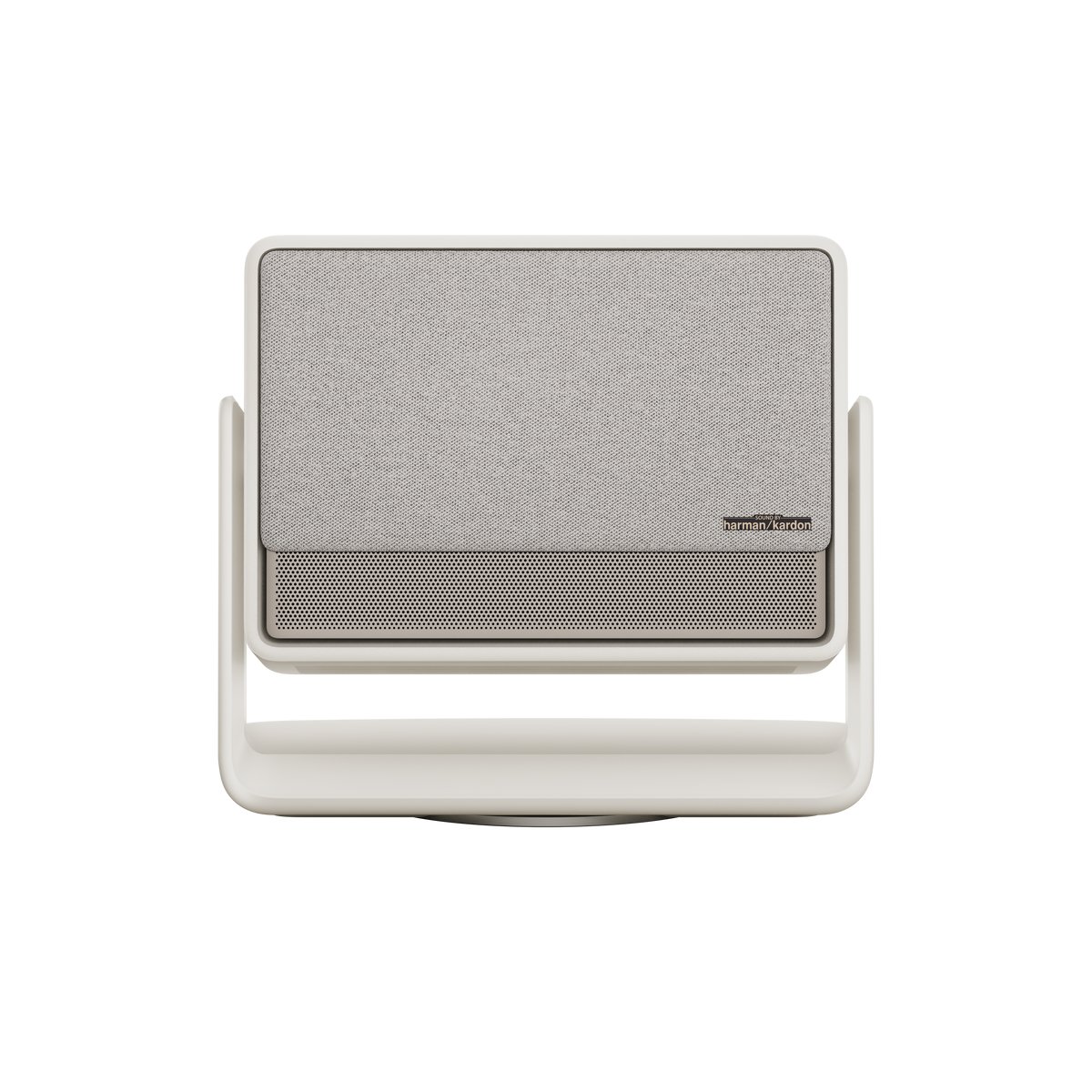
For most HDB and condo living rooms, the XGIMI Horizon S Pro is the smarter buy. At the time of writing Courts has it at S$1,399 (down from S$2,299), which is remarkable for what you get: a 4K standard-throw projector with XGIMI’s Dual Light 2.0 engine at 1,700 ISO lumens, dual 12W Harman Kardon speakers, and Android TV 11 / Google TV baked in with the full app catalogue.
Because it runs Google TV natively, this is the model that slots most cleanly into a Google Home household — voice control for playback and power, casting from your phone, and inclusion in routines all work out of the box. The auto keystone and obstacle avoidance are genuinely good, so setup in an awkwardly-shaped BTO living room is painless. You’ll want to dim the lights for it — 1,700 lumens is a “curtains-drawn” figure, not a “midday sun” one — but for movie night it’s more than enough on a 100-inch image.
If you want to step up, XGIMI’s standard Horizon (around S$1,729) and Horizon Pro (around S$2,699) sit above it, and iShopChangi carries the range tax-free if you’re flying out. But for the money, the Horizon S Pro is the sweet spot.
The “laser TV” option: XGIMI Aura 2 (or Samsung The Premiere)
Don’t want to see the projector at all? Ultra-short-throw is the answer. A UST unit sits on your TV console and throws a 100-inch image from just 17.8cm off the wall, so nobody walks through the beam and there’s zero ceiling hardware. This is the closest thing to “a giant TV that folds away.”
The XGIMI Aura 2 is the current pick here: 4K, 2,300 ISO lumens, Dolby Vision, IMAX Enhanced, and Harman Kardon Dolby Atmos audio built in. It’s brighter than most portable options, which matters because UST setups are usually in the main living room where you can’t fully black out the space. Expect it to land around S$3,000+ in Singapore. For the best results, pair a UST projector with an ALR (ambient-light-rejecting) screen rather than a bare wall — it’s the single biggest upgrade to daytime watchability, and worth the extra few hundred dollars.
The obvious alternative is Samsung’s The Premiere line, which is officially sold and serviced here and integrates neatly with SmartThings. Just note that the headline new Premiere 8K was announced without Singapore pricing, so treat it as a “wait and see.” And a word of warning on the much-hyped Formovie Theater UST units — they are not officially distributed in Singapore, so anything you find is a grey import with no local warranty. Tempting, but factor in the support risk.
The portable / outdoor pick: Anker Nebula
Rounding out the shortlist: Anker’s Nebula range is the go-to for portability and for the (small but growing) crowd doing rooftop or balcony movie nights. The flagship Nebula X1 is a beast — 3,500 ANSI lumens, 4K triple laser, a self-levelling micro-gimbal, and NebulaMaster processing pushing dynamic contrast up to 56,000:1. Engadget calls it “the king of outdoor movies, if you can afford it,” and that last part is the catch: it’s premium-priced and heavy for something billed as portable.
For most people the Nebula Cosmos 4K SE is the more sensible pick — genuine 4K with Google TV, auto-focus and auto-keystone, roughly 1,800 lumens, and light enough to carry one-handed from the shelf to the balcony. It’s the projector you actually move around.
The bit nobody mentions: smart-home integration
Here’s the part that matters most on a site like this, and where you should temper your expectations. No projector on the market in 2026 supports Matter natively — not the Hisense, not the XGIMIs, not the Nebulas. They sit outside the Matter/Thread world entirely. So when you build a “Movie Night” scene, you can’t just add the projector as a Matter device and be done.
What actually works:
- Google TV models integrate via Google Home. The XGIMI Horizon S Pro and Nebula Cosmos, being Google TV devices, can be voice-controlled and dropped into Google Home routines for power and playback. This is the cleanest path.
- HDMI-CEC handles the TV-side handshake. Turn on your Apple TV or Google TV Streamer and a CEC-aware projector wakes with it.
- A smart plug is the universal fallback. For a VIDAA-based Hisense or any “dumb-smart” projector, put it on a Matter smart plug and let that join your scene. Your “Movie Night” routine then dims the lights, closes the curtains, and cuts power to the projector when you’re done — even though the projector itself has no idea any of this is happening.
That’s the recipe for the scene everyone wants: say “Hey Google, movie night,” and watch your smart downlights fade to 10%, your motorised curtains draw shut, and the screen fire up. For blackout, a set of motorised blackout curtains — an Aqara Curtain Motor is the easy retrofit for HDB tracks — does more for daytime picture quality than any amount of extra lumens. And a strip of bias lighting behind the screen reduces eye strain during long sessions while looking the part. Prefer to keep it all offline and private? Our guide to a local voice assistant shows how to trigger the same scene without the cloud.
Before you buy: four HDB realities to check
Spec sheets won’t warn you about these, but a decade of local living rooms will.
Throw distance. A standard-throw projector (the Horizon S Pro, the Nebulas) typically needs 2.5–3m to hit 100 inches. Measure your sofa-to-wall gap before you fall in love with a model — many 4-room living rooms are tighter than you think once the coffee table’s in. If you’re short on distance, go UST or a shorter-throw unit.
The ceiling fan. A table- or shelf-mounted projector fires a beam across the room at roughly head height, and a spinning KDK ceiling fan can flicker shadows across the bottom of your image. UST models dodge this entirely by throwing upward from the console; for standard-throw units, mount high or seat the projector behind the fan’s arc.
Heat and fan noise. These are laser boxes running in a 32°C, non-aircon-until-you-switch-it-on living room. They’ll spin their cooling fans harder here than in a temperate climate. It’s rarely a dealbreaker, but if you’re noise-sensitive, read reviews for the dB figure and don’t sit the unit right next to your ear.
The screen. A freshly painted white wall is fine to start, but a proper matte-white or (for UST) ALR screen is the cheapest way to a visibly better image — better uniformity, blacker blacks, and far better daytime contrast. Budget S$150–500 for one; it punches above its price.
So which one should you buy?
- Best picture, money no object: Hisense C2 Ultra. Just add a Google TV stick if you live in Google’s world.
- Best value for a typical HDB living room: XGIMI Horizon S Pro at S$1,399 — native Google TV, great auto-setup, dim the lights and enjoy.
- Want it to vanish into the console: XGIMI Aura 2 (or Samsung The Premiere), ideally with an ALR screen.
- Portable / balcony movie nights: Nebula Cosmos 4K SE for most, Nebula X1 if you want the absolute best and have the budget.
Whichever you pick, spend on two things the spec sheets don’t list: a way to control ambient light, and a smart plug so the projector plays nice with the rest of your automations. Get those right and a S$1,400 projector will out-wow a S$4,000 TV every single movie night — no giant black rectangle required.