Why Your Smart Home Needs A UPS In Singapore (Yes, Even In Singapore)
Singapore has one of the most reliable electricity grids in the world — the Energy Market Authority (EMA) regularly clocks System Average Interruption Duration of under a minute per customer per year. So why bother with a battery backup?
Because “reliable” doesn’t mean “uninterrupted”. If you’ve lived in an HDB or condo for more than a couple of years, you’ve experienced one of these:
- A circuit breaker tripping when the kettle, aircon and induction hob fire up at the same time.
- A 50ms voltage sag during a Sumatra squall that reboots half your devices.
- That one Sunday morning when SP Group is doing scheduled maintenance on your block.
- A surge after a thunderstorm that fries your ONT or router.
In a dumb home, none of this matters. Your fridge keeps fridging, you re-set the microwave clock, and life goes on. In a smart home built around Matter, Thread, and Wi-Fi, a five-second blip is enough to take down your Thread border router, drop your hub off the network, and leave automations broken until everything stutters back online — sometimes minutes later.
If you’ve spent a four-figure sum kitting out an HDB with locks, cameras, sensors and panels, the cheapest, most boring upgrade you can make in 2026 is a Uninterruptible Power Supply (UPS). A small one starts at under SGD 200. Here’s how to pick the right one.
What A UPS Actually Does (And What It Doesn’t)
A UPS is a battery in a box that sits between your wall socket and your gear. When mains is healthy, it passes power through and trickle-charges its battery. When mains drops or sags, it switches to battery in milliseconds — fast enough that your devices never notice.
There are three things a good UPS gives you:
- Bridging short outages. Most blackouts in Singapore HDBs last seconds, not hours. A 5-minute runtime covers 99% of real incidents.
- Surge protection. Schneider Electric’s BX and BVX series include MOV-based surge clamping on the protected outlets — useful during the storm season from November to March.
- Automatic Voltage Regulation (AVR). Brownouts and overvoltage events get corrected without dipping into the battery, which extends battery life and protects sensitive electronics.
A UPS does not replace a whole-house power station, won’t run your aircon, and won’t protect against a lightning strike that hits your block riser directly. For that you need SP Group’s earthing on the building plus surge protection at the consumer unit. The UPS is for keeping your hub, router and a couple of cameras alive — not the entire flat.
How To Size A UPS For A Smart Home
The mistake most people make is buying too big. Your home server, gaming PC, and TV don’t need to run during an outage — your smart home brain does. Add up the wattage of just these:
- ONT (fibre terminal): ~5W
- Wi-Fi router or mesh node: 10–25W
- Smart home hub (Aqara M3, Apple TV 4K, Hue Bridge Pro, SmartThings Station): 5–15W
- One or two NVR cameras: 5–10W each
- Optional: a NAS for camera recording: 20–40W
A typical Singapore smart home pulls 40–80W from these critical loads. A 950–1100VA UPS (around 480–550W rated output) will give you 30–60 minutes of runtime on that load — plenty for any realistic blip and most planned maintenance windows.
If you’re also backing up a small home server running Home Assistant or a NAS, scale up to 1500VA / 900W with pure sine wave output (more on that below). Anything beyond that and you’re really shopping for a portable power station, not a UPS.
The Picks: Best Smart Home UPS Options For Singapore In 2026
Budget Pick: APC BX1100LI-MS (1100VA / 550W)
This is the workhorse Schneider Electric sells through APC’s Singapore distributors and on Lazada. It uses universal IEC C13 sockets (so you’ll need IEC kettle leads, not BS 1363 plugs — many smart home gear ships with them anyway) plus a couple of universal sockets for things like router power bricks.
You get AVR, RJ-11 line protection, and roughly 10 minutes of runtime on a 100W load. The waveform is “stepped approximation to sine wave” — which is fine for switch-mode power supplies (router, hub, ONT) but noisy for active PFC supplies (high-end PCs).
Confirmed available on the Schneider Electric Singapore site and Lazada SG. Expect to pay around SGD 200–230 depending on promo. The slightly larger BVX1200LI-MS is a newer 1200VA variant if you want more headroom.
Best for: Most HDB smart homes. Plug in your ONT, router, and hub on the battery-protected outlets, leave the rest on surge-only.
Sweet Spot: APC Back-UPS Pro BR900MI (900VA / 540W)
A step up in build quality. The Pro BR series adds an LCD screen showing input voltage, load percentage and runtime, plus dataline protection. Six IEC C13 outlets, all on battery and surge.
Critically, the BR900MI runs cooler and quieter than the BX series and comes with a 2-year battery warranty (vs 1 year on BX). It’s listed on APC Singapore’s site and stocked by local IT retailers like Server Rack Singapore.
Best for: Buyers who want their UPS to last 4–5 years without needing a battery replacement, and who like having a load gauge.
Pure Sine Wave (Sensitive Gear): CyberPower BR1000ELCD or VP1200ELCD
If your hub is running on an active PFC power supply — think a Synology NAS, an Intel NUC running Home Assistant, or a Mac mini — the stepped-wave output of a budget UPS can cause it to alarm or refuse to switch over cleanly. You want a pure sine wave UPS.
CyberPower’s BR1000ELCD (1000VA / 600W) and VP1200ELCD (1200VA / 720W) are the affordable sine-wave options on the Singapore market. CyberPower distributes through regional partners and you’ll find both models on Lazada and Shopee SG, typically SGD 280–380.
CyberPower also publishes PowerPanel software for macOS, Windows and Linux that talks to the UPS over USB. Pair it with the Network UPS Tools (NUT) integration in Home Assistant and your dashboard can read battery percentage, runtime estimate and load — handy for triggering “shutdown the NAS gracefully” automations.
Best for: Home Assistant rigs, NAS users, anyone running a 2024+ Mac mini as a smart home server.
Long Runtime: EcoFlow RIVER 2 (256Wh / 300W) Or Anker SOLIX C300
For prolonged outages — two hours, four hours, the kind of thing that shouldn’t happen on the EMA grid but occasionally does, especially if a contractor cuts a feeder cable — a portable power station is more flexible than a UPS.
The EcoFlow RIVER 2 is the most accessible option in Singapore through Lau International Distribution (the official EcoFlow distributor) and EcoFlow’s own Lazada storefront. It charges 0–100% in about an hour, has a 256Wh LiFePO₄ battery rated for 3,000+ cycles, and outputs 300W continuous (600W X-Boost). Singapore retail pricing fluctuates between SGD 380 and SGD 500 depending on promo cycles.
The Anker SOLIX C300 (288Wh, 300W) is a similar form factor that competes directly. Both have a UPS-like passthrough mode that switches over in roughly 30ms — slightly slower than a true UPS, but fast enough for most modems, routers and hubs to ride through.
The trade-off versus a true UPS: portable power stations are louder when their fans kick in, and the passthrough switching is software-managed rather than the dedicated relay you get in an APC. But a single RIVER 2 will run a 50W smart-home stack for around four hours, and you can take it camping at Pulau Ubin.
Best for: Larger HDBs and condos where you want camera recording to keep going through a 1–2 hour outage, or where you’re already eyeing portable power for other uses.
What To Plug In (And What Not To)
This is the part most guides skip. A UPS only helps the gear plugged into the battery-protected outlets — and on a 1100VA unit, you’ve got maybe 5–6 of those. Treat them like premium real estate.
Plug in:
- ONT / fibre terminal (so the line itself stays up)
- Wi-Fi router or primary mesh node
- Smart home hub: Aqara M3 hub, Hue Bridge Pro, Apple TV 4K, SmartThings Station, etc.
- Home server / NAS if you have one
- One indoor camera you actually want recording during the outage
Don’t plug in:
- TVs, soundbars, projectors — they’ll drain your battery in under a minute
- Aircon, dehumidifiers, fans — these will trip the overload protection or destroy the battery
- Laser printers — the warm-up draw alone exceeds most UPS ratings
- Anything cosmetic you don’t actually need running during a blackout
The boring outlets (surge protection only, no battery) are where TVs and chargers go. Don’t waste the battery side on them.
Pro Tip: Make Your UPS Smart
A UPS sitting under your TV console gets boring fast. Make it talk to the rest of your smart home:
- Plug a USB cable from the UPS into a Raspberry Pi, mini-PC or NAS running Home Assistant.
- Install the NUT integration. It reads battery percentage, input voltage, load and runtime.
- Build automations: when input voltage drops, push a notification. When battery hits 20%, gracefully shut down non-critical services. When mains returns, broadcast an “all clear” announcement to your HomePods.
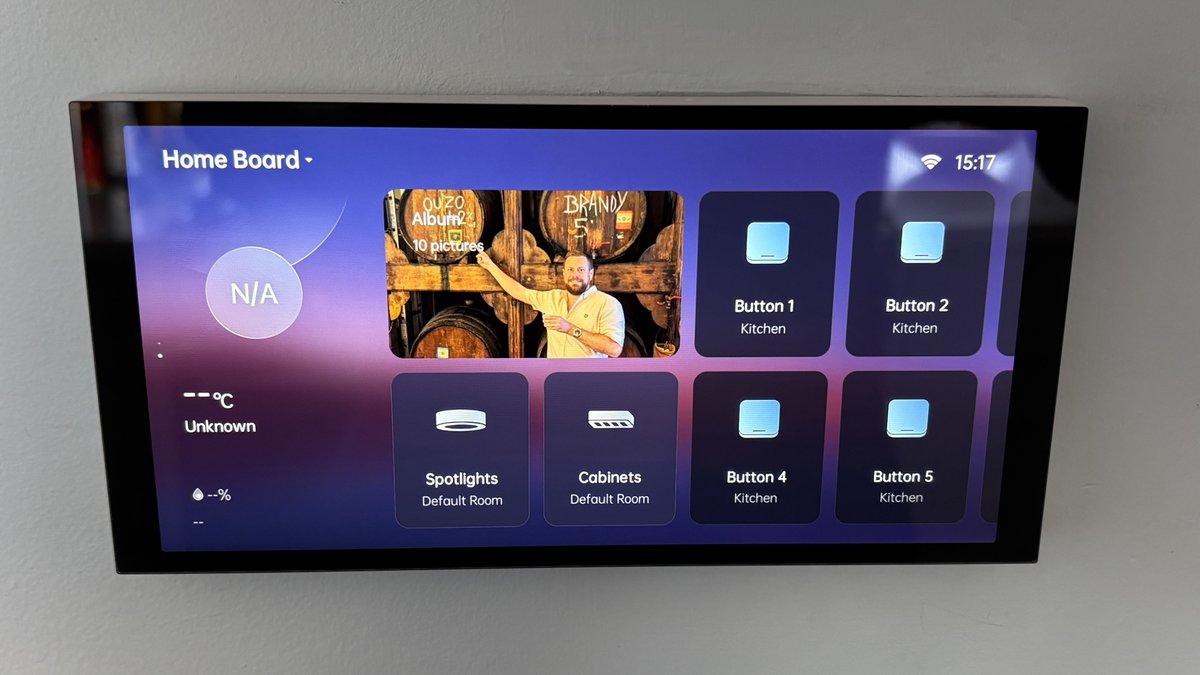
For an even more visible setup, mirror the UPS state onto a smart display panel so anyone home can glance at the battery state during a blackout. It’s the kind of thing nobody asks for, and then nobody wants to live without after a single late-night outage.
A Note On Surge Protection For Lightning
Singapore sees between 170 and 190 thunderstorm days a year — among the highest globally. Your UPS will protect against minor surges from grid switching events, but it is not designed to withstand a direct lightning strike on your block’s riser cable.
For real lightning protection you want a Type 2 surge protective device (SPD) installed at your distribution board (DB box), which is licensed electrician work in Singapore. The UPS at your TV console is the second line of defence, not the first. Spend a couple of hundred dollars on a proper DB-mounted SPD before you spend a thousand on a fancy UPS.
The Verdict
A UPS is the most underrated piece of smart home gear you’ll buy in 2026. For under SGD 250 you can guarantee that your hub, router and Thread border router stay online through every grid blip Singapore is going to throw at them — which, given how much we’ve all bought into Matter and Thread, is no small thing.
Start with the APC BX1100LI-MS if you’re price-sensitive. Step up to the APC BR900MI if build quality matters to you. Choose CyberPower BR1000ELCD if you’ve got a NAS or Home Assistant box that needs pure sine wave. And if you live somewhere with patchier supply or just want to be over-prepared, an EcoFlow RIVER 2 doubles as your camping power station.
Whichever route you pick: it should have been the first thing you bought, not the last.