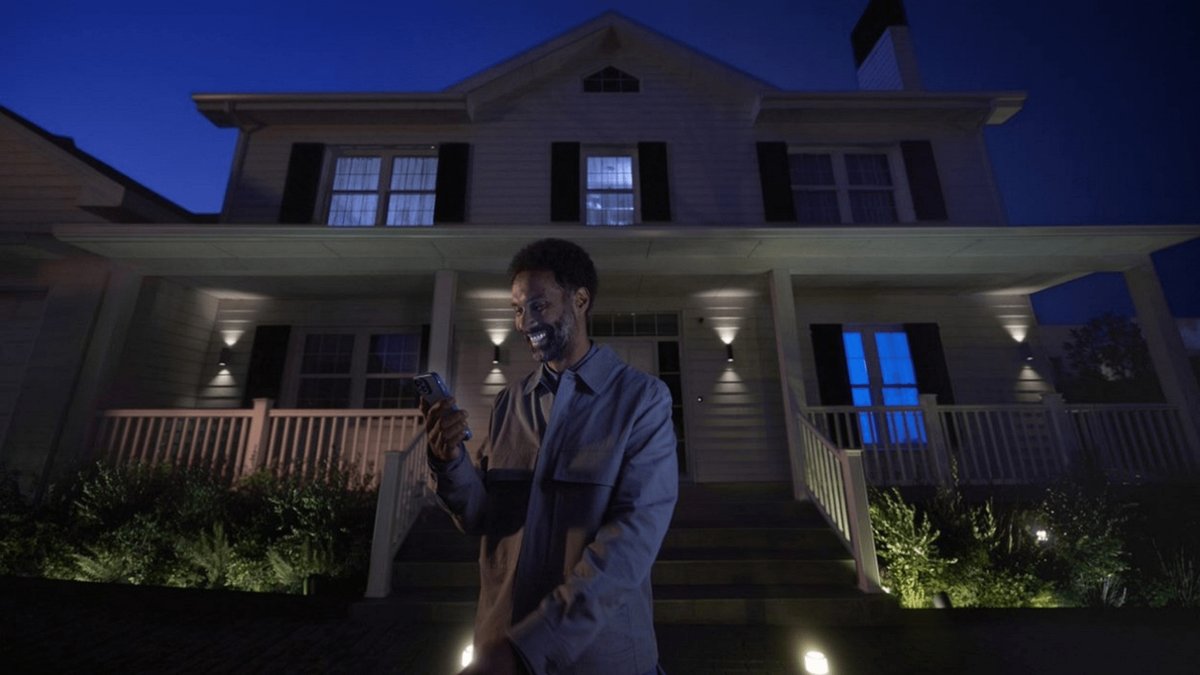
Philips Hue has started rolling out Sonos control for its switches. Hue’s Sonos page says the Tap Dial Switch “or any compatible Hue switch or button” can play, pause and skip tracks, pick radio stations and change the volume on your Sonos speakers. It says this works “even when your internet is down”. The catch is in the small print: Bridge Pro required.
The Sonos news is a good excuse to talk about smart buttons more generally. In a lot of Singapore homes the smart home only works for whoever has the app. That leaves out your helper, your parents when they visit, the kids, and the relatives who’ll be staying over in December. Voice control isn’t much better. Siri mishears names, Google’s smart displays have nearly vanished from local shelves, and nobody wants to shout at a speaker at 1am.
A button on the wall labelled “All off” works for everyone. Below are the four we’d consider for a Singapore HDB or condo in 2026, what each one needs behind it, and which one fits which person.
Why Buttons Matter More in a Singapore Flat
Three things make a wireless button more useful here than the spec sheets suggest.
Smart bulbs die at the wall switch. If someone flicks the switch off, the bulb loses power and your automations can’t reach it. In an HDB, where the light switch is often right by the door, it happens all the time. The fix is to stick a wireless button over or next to the old switch and tell everyone to use that one. Our no-neutral smart switch guide covers the wired alternative if you’re renovating.
You probably can’t drill. Renters, and owners who don’t want to chase cables in concrete walls, can mount any of these with adhesive tape. Nothing here needs wiring. If that’s your situation, our no-drill SwitchBot guide covers the rest of the flat.
One press can do several things. In a tropical flat the most common “leaving home” routine is aircon off, lights off, curtains open a bit and the fan off. That’s four app taps or one button press. The same goes for a bedtime button by the bed.
The Shortlist at a Glance
| Hue Tap Dial Switch | IKEA BILRESA (dual button) | Aqara Cube T1 Pro | Aqara H1 Wireless Remote Switch | |
|---|---|---|---|---|
| Radio | Zigbee | Matter over Thread | Zigbee | Zigbee |
| Needs | Hue Bridge (Bridge Pro for Sonos) | A Thread border router | An Aqara Zigbee hub | An Aqara Zigbee hub |
| Controls | 4 buttons + rotary dial | 2 buttons | 6 faces + gestures | Wall-switch style buttons |
| In Apple Home | 4 buttons (no dial) | Buttons | 6 faces as buttons | Buttons |
| Singapore price | About S$75–S$79 | S$8.90 | S$30 | S$42 |
Prices are what we found at Challenger, IKEA Singapore and HomeSmart in late November. They move around, especially in sale season.
Philips Hue Tap Dial Switch: Best If You Already Run Hue
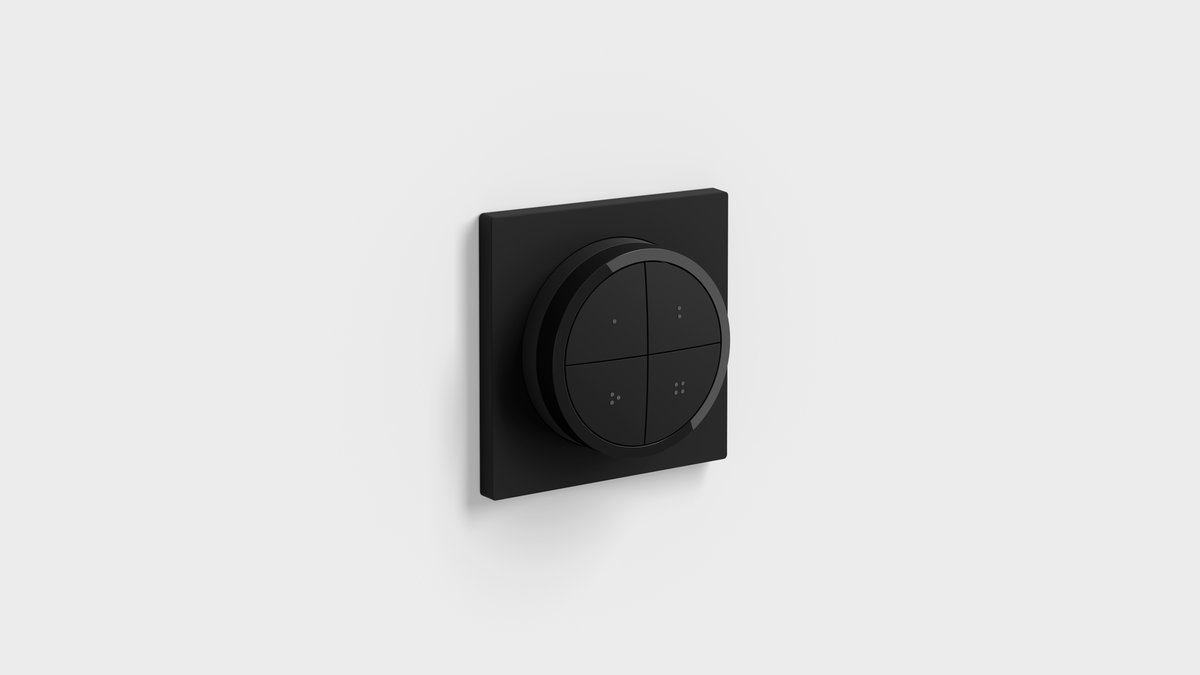
The Tap Dial has four buttons around a rotating ring. Each button can call up a scene, and the dial dims and brightens. It lifts off its wall plate, so you can use it as a remote from the sofa or stick it to any magnetic surface. It runs on a CR2032 coin cell, which comes in the box.
It’s a Zigbee device that pairs with the Hue Bridge, not directly with Apple Home or Google Home. That’s a strength if you already use Hue. Inside the Hue app the Tap Dial is the most polished remote here, and the dial feels great for dimming. Challenger lists it at S$79, and it has been a few dollars lower on promotion. Harvey Norman stocks it too.
The Sonos part. The new feature lets the Tap Dial or other compatible Hue switches control Sonos speakers. Hue lists play, pause, skip, radio stations and volume. If you have a Sonos Era 100 in the living room and Hue lights already, one button by the door that starts your morning playlist and turns the lights on is a nice upgrade. Two caveats:
- You need the Hue Bridge Pro. An original Hue Bridge won’t do it, according to Hue’s own page. If you’re still on the old white bridge, the Sonos feature alone is not a reason to upgrade.
- The rollout is uneven. German Hue sites reported the feature live from 10 November. Some of Hue’s regional pages still say “coming in autumn 2026”. Hue doesn’t publish a Singapore-specific date, so update the Hue app and check whether the Sonos option appears under your switch settings.
In Apple Home, only the four buttons show up. Philips’ own support page says HomeKit can’t use the dial to dim and brighten. You can still assign each button to an Apple Home scene, but the dial only works inside Hue.
Buy it if you already have a Hue Bridge and want one premium remote for the living room, or you own Sonos speakers and a Bridge Pro. Skip it if you don’t use Hue. Buying a bridge just for a remote doesn’t make sense when the other picks here are cheaper.
IKEA BILRESA: The S$8.90 Matter Button
BILRESA is a small dual-button remote that speaks Matter over Thread. That means it joins Apple Home, Google Home or Home Assistant directly, as long as you have a Thread border router. In Singapore that’s most likely a HomePod mini, a Thread-equipped Apple TV 4K, an Aqara M3 hub or IKEA’s own DIRIGERA. IKEA Singapore sells it for S$8.90. It takes two AAA batteries, which aren’t included.
At that price you can put one by the front door, one at each bedside and one in the kitchen for less than one Tap Dial. That’s the real appeal.
It works well in Apple Home, where each button can run a scene or control a device. Google Home took longer. Google only added smart buttons as automation starters in version 4.8 of the Home app in February 2026. Single press, multi-press, long press and release can now start an automation. Button presses are “starter only”, and Google’s help pages said button triggers weren’t yet supported in the Gemini-powered “Ask Home” or “Help me create” tools. Build these automations in the regular editor.
Now the caveats. As we covered in our IKEA Matter guide, BILRESA had a rough launch in Europe, with buttons that wouldn’t pair or dropped off the network. IKEA’s firmware updates since then have helped, and recent user reviews of the dual-button model are much kinder. Some say it stays connected better than other IKEA Thread devices. Reports with Aqara’s hubs are mixed, with some users pairing it fine through an M200 and others failing. Expect a retry or two when pairing, and buy a spare.
The scroll-wheel version isn’t on IKEA Singapore’s site. Don’t import one to save on a Tap Dial. Its reviews are much worse, and the wheel isn’t usable in Apple Home.
Buy it if you have an Apple or Google Thread border router already and want cheap buttons everywhere. Skip it if you have no Thread border router. Buying a hub for an S$8.90 button is backwards.
Aqara Cube T1 Pro: The Fun One That Still Works for Guests
The Aqara Cube T1 Pro is a palm-sized cube, about S$30 at HomeSmart. In the Aqara app you can shake it, flip it, rotate it or tap it, and each gesture can do something different. Twist it to dim, flip it to change the scene.
That’s the fun part, and it’s mostly limited to the Aqara app and Home Assistant. In Apple Home, Aqara says you need to put the cube in Scene Mode. It then shows up as a six-button switch, one button per face, and the gestures don’t come across. Six scenes on one coffee-table object is still useful, and it’s a bit less intimidating for visiting relatives than a row of identical white buttons.
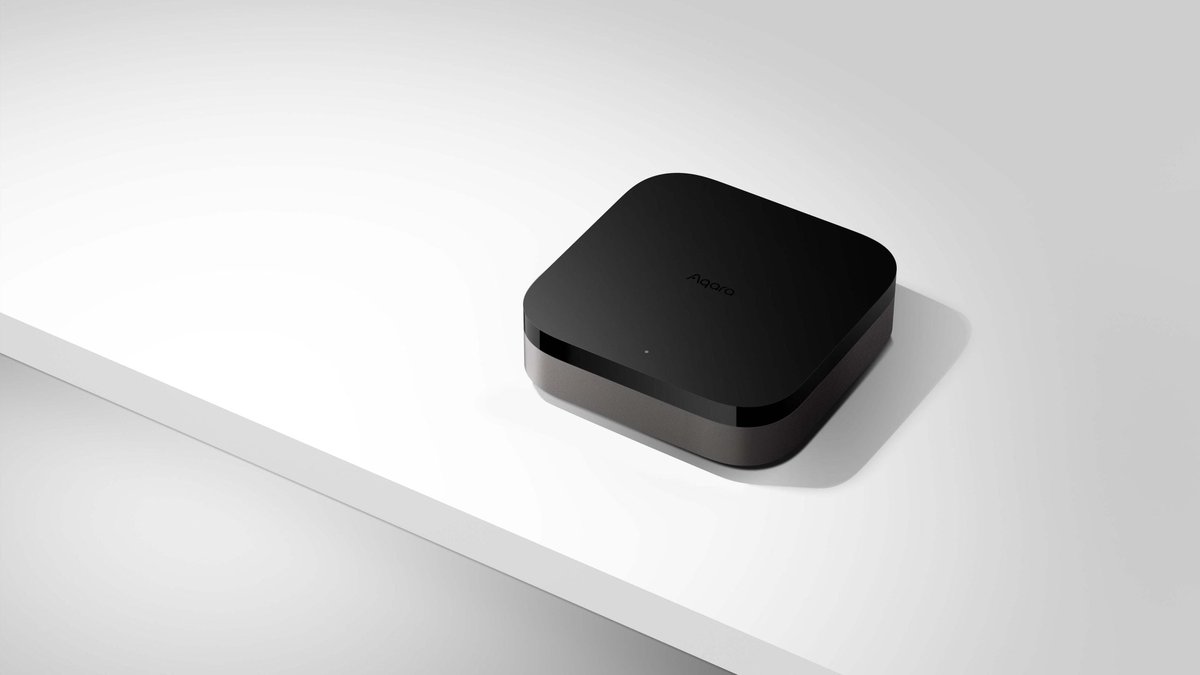
It’s Zigbee, so it needs an Aqara hub. If you don’t have one, our sister site’s guide to choosing an Aqara hub explains the differences. The short version: the Aqara M3 is the one to get if you also want a Thread border router and Matter controller in the same box.
Buy it if you already have an Aqara hub and want a living-room controller that’s a bit playful. Skip it if you’ll only ever use Apple Home and don’t want to configure gestures in the Aqara app.
Aqara H1 and D1 Wireless Remote Switches: For the Helper and the Parents
The most important button in many Singapore homes isn’t a clever one. It’s one that looks exactly like a light switch.
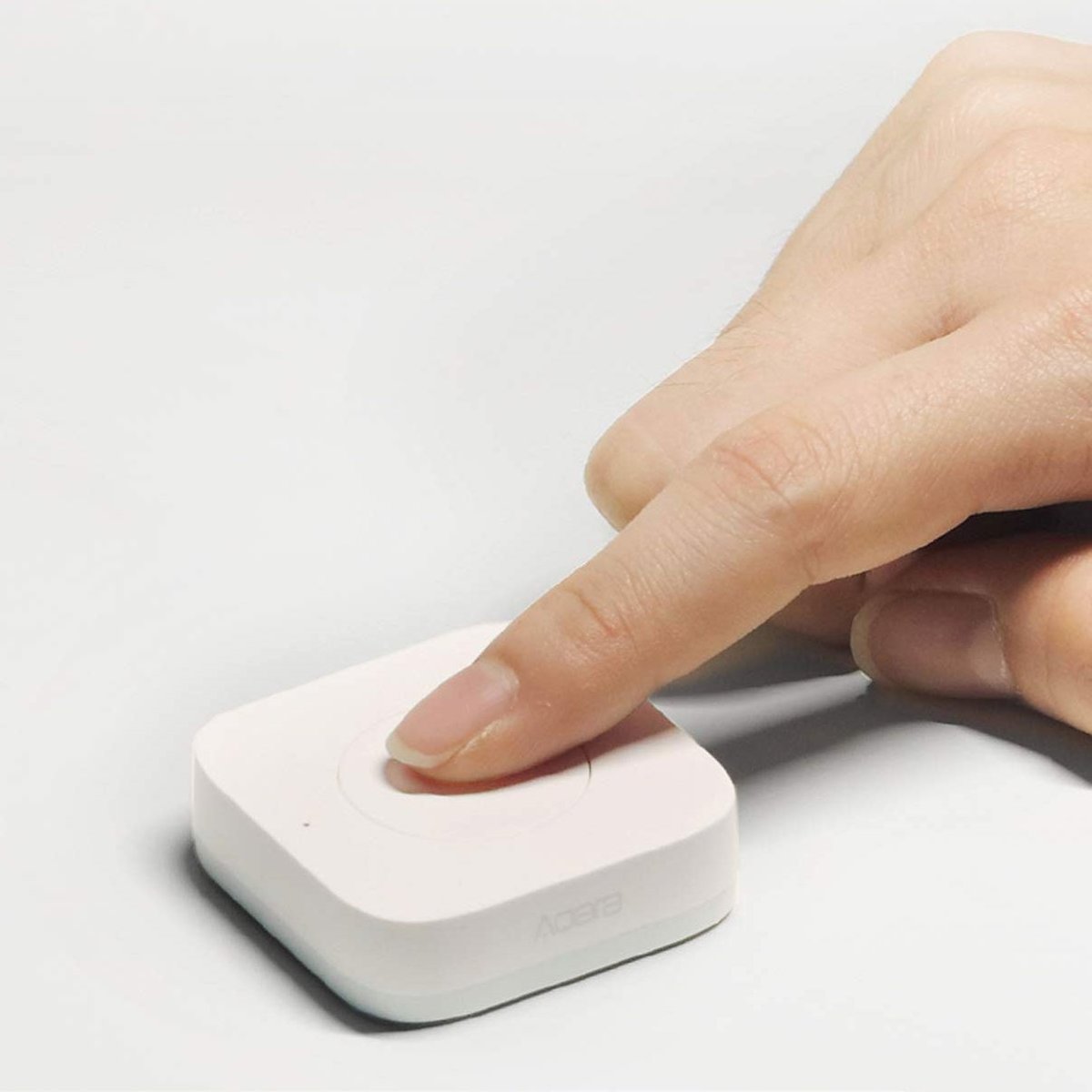
The Aqara H1 Wireless Remote Switch (S$42 at HomeSmart) and the D1 Wireless Remote Switch (S$40 for the 1-gang) look like normal wall switches. They run on a battery, so you stick them to the wall wherever you want a switch. Each rocker can handle a single press, double press or long press, and each can run a different action. They’re Zigbee and need an Aqara hub, and they show up in Apple Home as programmable buttons through the hub.
This is the button we’d give a live-in helper or a parent who’s staying with you. Nobody needs to be told how a wall switch works. Stick one beside the bedroom door that turns off the aircon and lights together. Stick another by the main door for “everything off”. If you’ve already used Aqara’s wired H1 switches elsewhere, the wireless one matches them.
For older parents who live alone, our ageing-in-place guide uses Aqara’s smaller Wireless Mini Switch as a family SOS button by the bed and toilet. Same hub, same idea: a physical button beats an app for anyone who isn’t glued to their phone.
Thread, Zigbee and Your HDB Walls
All four of these are low-power radios, and HDB walls are reinforced concrete. Two practical points:
- Zigbee buttons (Hue and Aqara) relay through mains-powered devices. Hue bulbs and plug-in Aqara devices act as repeaters. If your hub is in the living room and the button is in the far bedroom, a powered Zigbee device in between helps a lot.
- Thread buttons (BILRESA) need Thread routers nearby. Matter-over-Thread plugs and bulbs relay signal, and so do your border routers. Our guide to building a Thread mesh through concrete walls covers this in detail. One trap: Thread bulbs switched off at the wall stop relaying, which is one more reason to put a button over that switch.
Battery buttons sleep most of the time, so they don’t relay for anything. Put them where you need them. Don’t count on them for coverage.
Which Button for Which Person
- Your helper: an Aqara H1 or D1 wireless switch by the door, labelled. It behaves like a light switch.
- Visiting parents or in-laws: the same, plus an “all off” switch by their bedroom door so they’re never stuck with the aircon running at 3am.
- Kids: a BILRESA at each bed for “lights on” and “lights off”. At S$8.90, a lost one isn’t a crisis. Our kids home alone guide covers what else to set up for the school holidays.
- Sonos owners with Hue: the Tap Dial, once you have a Bridge Pro and the Sonos option shows up in your app.
- The coffee table: the Cube T1 Pro, if you already run Aqara.
- Everyone, by the main door: one “leaving home” button. Aircon off, lights off, robot vacuum on.
Our Take
For most Singapore homes, start with the hub you already have. If you’re an Apple or Google home with a HomePod mini, Apple TV or Thread-capable Nest, BILRESA at S$8.90 is the cheapest way to add physical controls. Just expect to retry the occasional pairing. If you already run an Aqara hub, the H1 or D1 wireless switches are the best way to make your smart home usable by people who don’t have the app. The Cube T1 Pro is the fun extra. The Hue Tap Dial is the nicest remote here, but it only makes sense inside a Hue setup. The new Sonos control is useful only if you also have a Bridge Pro.
Whatever you pick, put the first button beside the main door before the December guests arrive. That’s the one everyone will use.