Everyone tells you smart homes are expensive. They’re not. What’s expensive is impulse-buying a smart home — grabbing a random Wi-Fi bulb here, a doorbell there, a plug from a flash sale, and ending up with six apps that don’t talk to each other and automations that never quite fire. I’ve watched friends spend well over a thousand dollars this way and still get frustrated every time they want to turn off the lights.
The good news: in 2026, thanks to Matter and Thread finally being mature and boring (in the best way), you can build a genuinely useful, expandable smart home for a Singapore HDB flat for under S$300. No drilling. No electrician. No rewiring. And nothing you’ll have to throw away when you want to add more later.
This is the starter kit I’d actually buy today if I were setting up my first flat. Let’s build it properly.
The one rule that saves you money: pick a hub first
The single biggest mistake first-timers make is buying gadgets before buying a brain. If every device connects only to its own cloud app, you get a drawer full of gadgets and zero automation. The fix is to start with a hub that speaks Matter, and then only buy devices that work with it.
In 2026 the phrase you’re looking for on the box is “Matter controller and Thread border router.” Matter is the universal language modern smart home gear speaks; Thread is the low-power mesh network that carries it for battery devices. A hub that does both future-proofs everything you buy after it.
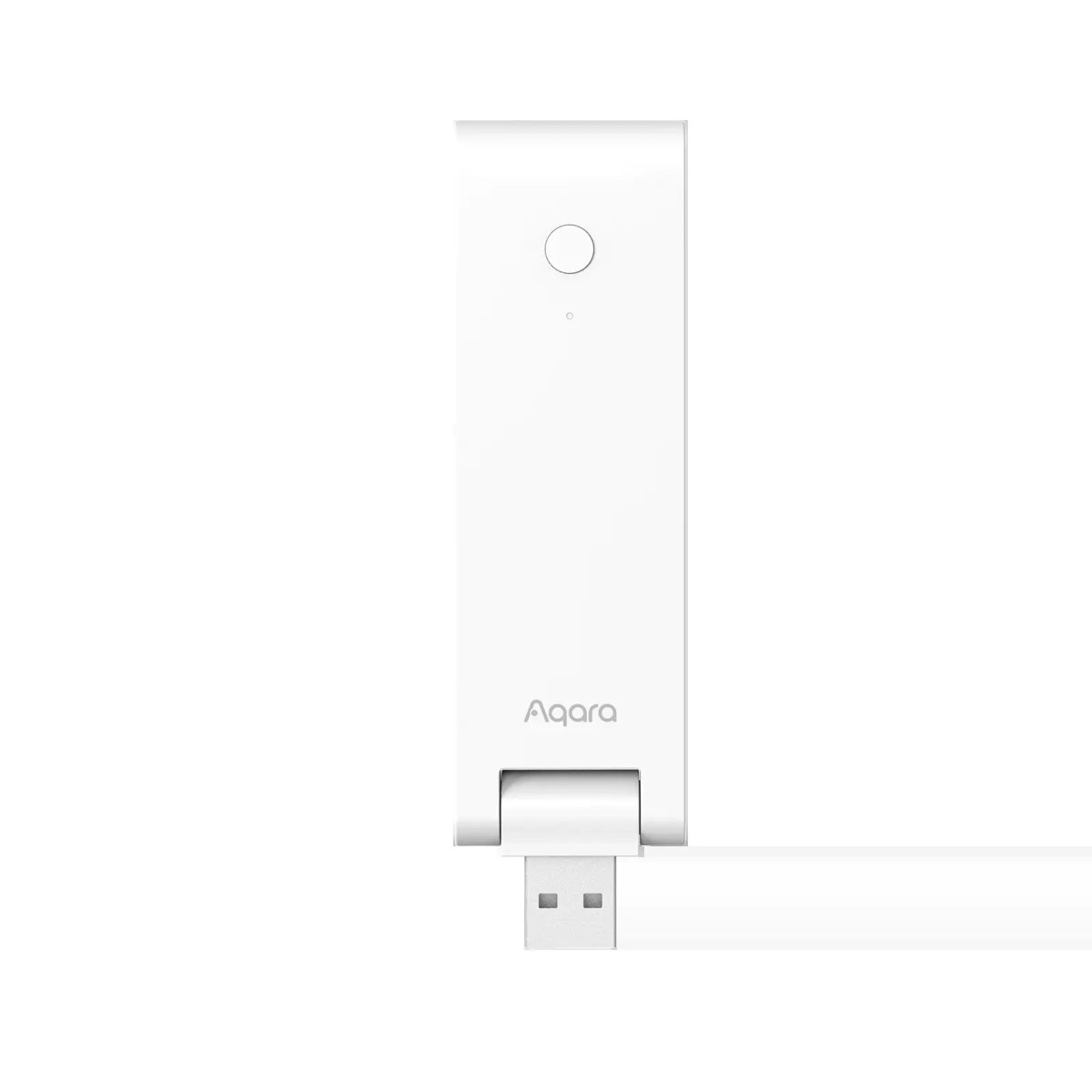
My pick for a Singapore starter is the Aqara Hub M100. It’s roughly S$84 locally (HomeSmart lists it around S$84–89), and for that money it’s doing three jobs at once: it’s a Matter controller, a Thread border router, and a Zigbee hub. That last part matters in Singapore, because a lot of the cheapest, most reliable sensors here are Zigbee — and the M100 lets you use them without buying a second hub. It’s USB-A powered, palm-sized, and stays local for faster automations.
If you’re deep in the Apple ecosystem, an Apple TV 4K or a HomePod mini can act as your Matter controller and Thread border router too — but if you already own one, you can skip a dedicated hub entirely and put that budget toward more devices. For everyone else (Android households, mixed families, HDB flats with a shared TV), the M100 is the cheaper, more flexible foundation.
Why not just go all-Wi-Fi?
Because your HDB router hates you. Every all-Wi-Fi smart device is another client hammering your 2.4GHz band, and 20–30 of them will make your Wi-Fi flaky. Thread and Zigbee devices form their own low-power mesh and barely touch your Wi-Fi at all. For a handful of plugs, Wi-Fi is fine. For a real smart home, you want most of your sensors and switches on Thread or Zigbee. That’s the whole argument for a hub in one paragraph.
The starter kit (and what each thing is for)
Here’s the under-S$300 build. Prices are ballpark Singapore retail as of mid-2026 and move around with sales, so treat them as a guide, not gospel.
1. The brain — Aqara Hub M100 (~S$84)
Covered above. Buy this first, get it on your Wi-Fi, and add it to Apple Home, Google Home, or Alexa. Everything else clips onto it.
2. Two smart plugs — TP-Link Tapo P110 (~S$16 each, cheaper in 2-packs)
The Tapo P110 is the workhorse of a budget smart home. At around S$15.90 each — and often less in a 2-pack — it’s the cheapest way to make anything smart: your bedroom lamp, the fan, the aircon via its wall socket, the water heater, the aromatherapy diffuser your partner insists on.
What makes the P110 worth it over a S$8 no-name plug is energy monitoring. It tells you exactly how many watts each appliance is pulling, which in a country with Singapore’s tariffs is genuinely useful. Plug your old fridge or that ancient tower fan into one and you’ll finally see what’s quietly padding your SP bill. (If you want to go deeper on this, we’ve got a full guide to whole-home energy monitoring for HDBs and condos.)
One honest caveat: the standard P110 is Wi-Fi, not Matter. If you specifically want Matter plugs so they show up natively in Apple/Google Home, TP-Link sells the P110M (the “M” is for Matter) for a few dollars more. For most first-timers the regular P110 in the Tapo app is completely fine to start.
3. Two smart bulbs — Tapo L535E (Matter) or Aqara LED Bulb T2 (~S$25–45)
Start small: put smart bulbs in the two lamps you actually use at night, not in your ceiling fixtures (those are better handled by smart switches later). The Tapo L535E is a Matter-certified colour E27 bulb that pairs straight into your hub and runs around S$25–30 depending on the pack.
If you’d rather keep everything under one roof, the Aqara LED Bulb T2 (from roughly S$29 for the E27 tunable-white version) lives in the same Aqara app as your hub and sensors. Either way, tunable white — being able to go warm at night and cool-white in the morning — matters more for daily comfort in a tropical flat than fancy colours you’ll use twice.
4. A motion sensor — Aqara Motion Sensor P1 (~S$33)
This is where a smart home stops being a novelty and starts being automatic. The Aqara Motion Sensor P1 (around S$33–39) is Zigbee, runs for years on coin-cell (CR2450) batteries, and connects straight to the M100’s built-in Zigbee radio. Stick it in your kitchen or hallway with the included magnetic mount — no screws — and set “lights on when I walk in after sunset, off after 2 minutes of no motion.” That one automation alone justifies the whole kit for most people.
5. A door/window contact sensor — Aqara Door and Window Sensor P2 (~S$30)
The Aqara Door and Window Sensor P2 (around S$30) is the P1’s twin for openings. Note it’s Matter-over-Thread — which is exactly why we chose a hub with a Thread border router; the M100 is what lets a Thread sensor like this talk to the rest of your home. Put it on your main door for “notify me if the door opens while I’m out,” or on the bomb-shelter/store-room door, or on a window for a basic security trigger. It’s the seed of a real alarm system — and when you’re ready to grow that, our guide to no-subscription smart alarm systems picks up where this leaves off.
Running the numbers
| Item | Price (approx SGD) |
|---|---|
| Aqara Hub M100 | 84 |
| Tapo P110 smart plug × 2 | 32 |
| Smart bulb × 2 (Tapo L535E / Aqara T2) | 55 |
| Aqara Motion Sensor P1 | 35 |
| Aqara Door & Window Sensor P2 | 30 |
| Total | ~S$236 |
That leaves you roughly S$60 of headroom under S$300 for a third plug, an extra sensor, or a temperature/humidity sensor to automate your fan and aircon around the actual room temperature. Not bad for a home that turns its own lights on.
Setting it up without losing a weekend
The order matters. Do it like this and you’ll be done in an afternoon:
- Hub first. Power the M100 over USB, open the Aqara Home app, add it to your 2.4GHz Wi-Fi. Then link Aqara to your main ecosystem (Apple Home / Google Home / Alexa) so everything shows up in one place.
- Plugs and bulbs next. These are instant-gratification wins and confirm your network is solid before you get into automations.
- Sensors last. Pair the P1 (Zigbee) and P2 (Thread) to the M100. Keep the first sensor within a few metres of the hub during pairing, then move it.
- One automation at a time. Start with motion-activated lights. Live with it for a few days. Then add the next one. Resist the urge to automate everything on day one — that’s how you end up with lights turning off while you’re still in the shower.
If you’ve never touched any of this, HomeSmart’s getting-started guide is a gentle Singapore-specific walkthrough, and their Matter explainer is worth ten minutes before you buy anything.
What to deliberately skip for now
Being opinionated about what not to buy is half the value of a starter guide:
- Smart locks. Tempting, but a good retrofit lock is S$300+ on its own — more than this entire kit — and HDB fire doors have their own fitting quirks. Do it as a considered second project, not a starter impulse.
- Cameras. They pull you straight into subscription land and add privacy headaches. Start with sensors; add a camera only when you know what you actually want it to watch.
- Smart switches. Replacing wall switches means dealing with the neutral-wire lottery in older HDB flats. It’s a great upgrade — genuinely the biggest quality-of-life jump — but it’s step two, not step one. When you get there, read up on the neutral vs no-neutral situation first.
- A voice assistant speaker, unless you already have one. You don’t need to buy voice control — your existing phone and the ecosystem app do the job while you’re starting out. If privacy is your thing, we’ve covered private, local voice assistants separately.
Why this kit ages well
The reason I’m comfortable recommending these specific parts isn’t that they’re the flashiest — it’s that nothing here is a dead end. The M100 is a Matter controller and a Thread border router and a Zigbee hub, so whatever protocol the smart home world drifts toward, you’re covered. Your Tapo plugs keep working. Your Aqara sensors keep working. When you add that smart lock or those switches next year, they slot into the same Apple/Google/Alexa home you already set up — no rip-and-replace.
That’s the real trick to a cheap smart home: it’s not about buying cheap things, it’s about buying compatible things in the right order so you never pay for the same capability twice. Matter, for all the years of hype, has finally made that possible. Start with the hub, add two of everything, automate one thing at a time — and you’ll have spent less than the cost of a single fancy robot vacuum on a home that genuinely runs itself.
You can browse the full range of Aqara hubs and sensors used here at HomeSmart Singapore or PFE Tech’s Aqara store for local warranty and stock. Buy the brain first. Everything else is easy.