Home Assistant’s November release is due on Wednesday, 4 November, and it is the biggest structural change to the platform in a long time. HACS, the community store almost every serious Home Assistant user relies on, stops being a separate add-on and becomes a built-in Marketplace. And Matter cameras finally show up as proper camera entities, with live video, snapshots and an early two-way talk feature.
Both changes are good news. Both can also catch you out if you just tap “Update” on Thursday morning. Here’s what changes, what it means for a typical Singapore HDB or condo setup, and what to check before you update.
When It Lands (Singapore Time)
The 2026.11 beta release notes went up on 28 October. The stable release is scheduled for Wednesday, 4 November, with the usual release-party livestream at 20:00 GMT. That’s 4am Thursday in Singapore, so most of us will wake up to the update notification.
My advice is the same as for every big release: don’t install it the minute it appears. The first patch release (2026.11.1) usually follows within days and fixes the worst regressions. This release migrates your HACS install and renames entities on your dashboards, so give it a few days.
HACS Becomes the Home Assistant Marketplace
If you’ve installed a custom integration for a Tuya device, a Xiaomi gadget, or a dashboard card like Mushroom, you’ve used HACS. From 2026.11 it lives under Settings → Marketplace and ships with Home Assistant itself.
According to the HACS Marketplace documentation, here’s what happens when you update:
- Migration is automatic. On the first start after updating, Home Assistant converts your HACS install. Everything you downloaded stays installed and keeps getting updates. Custom repositories and update entities carry over, and their entity IDs stay the same.
- Old
/hacslinks redirect to the Marketplace. The sidebar entry goes away, because the Marketplace now sits under Settings. - Installing gets quicker. Hitting Install takes you straight to the integration’s setup flow without a restart. Updates still need a restart for now.
- Standalone HACS is finished. It can’t be installed on 2026.11 or newer, Home Assistant blocks the old custom integration, and HACS itself won’t get new features. If you stay on 2026.10 or older, keep using HACS as before.
The Small Print That Will Bite Some People
Three things in the migration deserve attention:
- AppDaemon apps and Python scripts are no longer managed. Their files keep working, but they stop receiving updates. A repair notice will point them out. If you use AppDaemon for an aircon schedule or a complicated presence routine, write down what you have before you update.
- Dashboard resources move to
/local/community/. Old/hacsfiles/paths still work. But if your dashboard resources are defined in YAML rather than through the UI, you’ll need to edit them by hand. Again, a repair reminds you. - Custom repositories need a GitHub sign-in. Adding a repository that isn’t in the default catalogue now goes through a GitHub device sign-in. The release notes say this connection only reads public information and can’t touch private repositories.
“Official” Doesn’t Mean “Vetted”
This is the part I’d most like Singapore readers to take on board. Moving HACS into Settings makes community code look more official. It isn’t. The release notes are blunt: Marketplace projects are community-made and are not reviewed, tested, audited or supported by the Home Assistant project. On your first visit, you have to click through an “I understand the risks and agree” notice before you can install or update anything.
A custom integration runs with the same access as Home Assistant itself. In a typical HDB setup, that can include your door lock, your cameras and your alarm. So the old HACS rules still apply:
- Prefer integrations with a long history, recent commits and an active issue tracker.
- Be wary of anything that asks for your cloud account password and posts it to a server you don’t recognise. That includes many integrations for Tuya, Xiaomi and other cloud-based brands.
- Uninstall what you no longer use. The migration is a good excuse to spring-clean.
If your Home Assistant box already sits on its own network segment, as we suggested in our IoT network segmentation guide, a bad integration can do much less damage.
Matter Cameras Finally Work in Home Assistant
This is the headline feature for anyone who bought into Matter 1.5 cameras this year. Until now, Home Assistant’s Matter integration had no camera support at all. In 2026.11, compatible Matter cameras appear as standard camera entities with live video and snapshots. Video streams over WebRTC, directly between your browser and the camera, so on your home network it doesn’t pass through anyone’s cloud. As Matter Alpha notes, the entity also shows whether the camera’s privacy mode is on.
The Camera Most Singaporeans Will Try This With
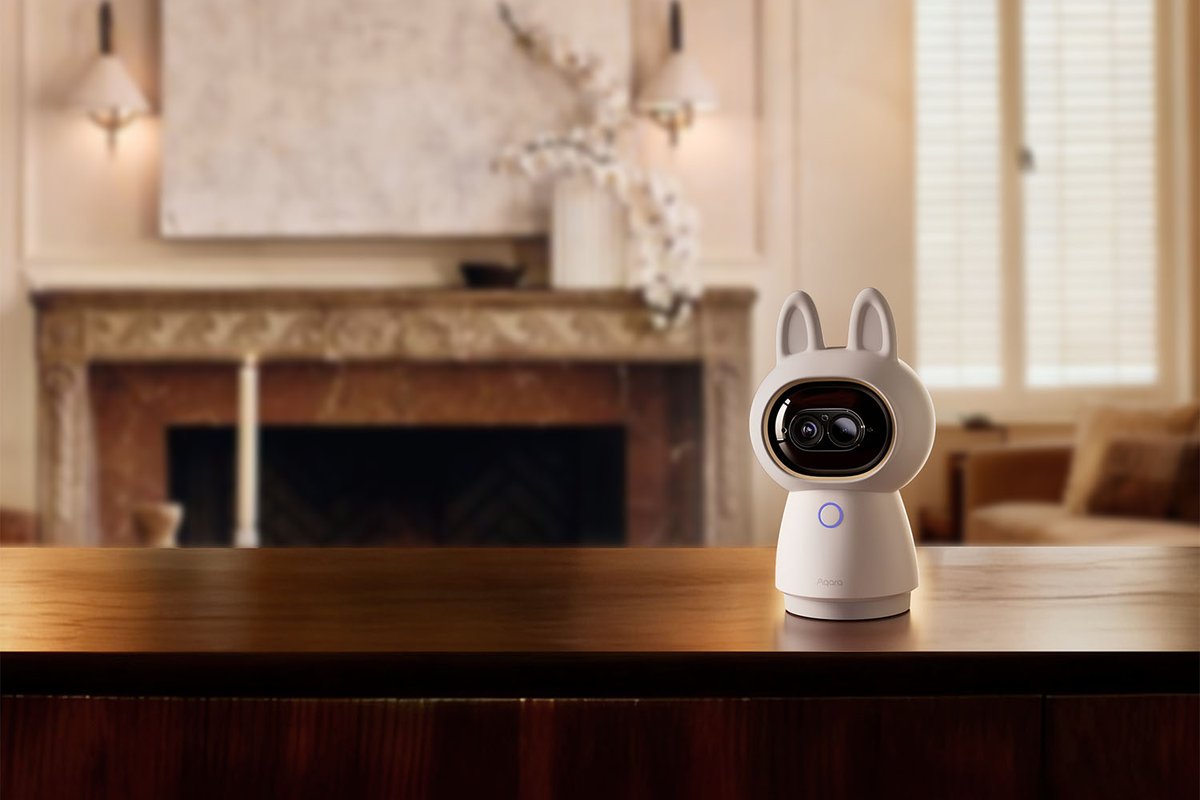
In Singapore, the obvious candidate is the Aqara Camera Hub G350, which Aqara bills as the first Matter-certified camera. It costs S$299 from the official Singapore distributor, with a 24-month local warranty. For that you get:
- A 4K wide lens and a 2.5K telephoto lens, with 9× hybrid zoom
- 360° pan-tilt
- On-device AI detection
- A built-in Zigbee hub and Thread border router
It connects to your network over Wi-Fi and is indoor-only. For a Home Assistant household, the hub functions matter more than the zoom. One G350 in the living room can stream into HA over Matter and also serve as the Thread border router for the rest of the flat.
If you’re weighing it against Aqara’s other cameras, HomeSmart’s Aqara camera comparison guide is a useful primer.
What You Don’t Get (Yet)
Be realistic about what this first version covers. Neither the release notes nor the coverage so far mention recording, motion events, or pan-tilt control through Home Assistant’s Matter integration. What’s confirmed is live view, snapshots and privacy-mode state. For continuous recording you still want RTSP into Frigate or an NVR, which we covered in our local-recording camera guide. Matter is the standard, low-effort way to get a picture on your dashboard. It doesn’t replace a recording setup.
Your Matter Server Has to Catch Up
Here’s the catch that will cause most “it doesn’t work” posts. Home Assistant only discovers Matter cameras if the Matter Server app connected to it supports them. Home Assistant switched to a new matter.js-based server in June, announced here, which brought Matter 1.5.1 support. But the camera API, which handles WebRTC sessions and talkback, arrived in a server release dated 20 October that was still in beta and had to be switched on in the app’s settings.
So, if you update to 2026.11 and your G350 doesn’t appear as a camera, check the Matter Server app’s version and changelog before you blame the camera. Updating the app is probably all it needs.
Two-Way Talk: Behind a Labs Flag, and HTTPS Only
2026.11 also adds a talk button to the live camera view. It’s a Labs preview (Settings → System → Labs) and works with Matter cameras and Reolink cameras. Reolink is popular with Singapore landed-home owners. If you use one, it has to stream over RTSP: RTMP and FLV can’t carry audio back to the camera.
The bigger catch is that talkback only works when Home Assistant is opened over HTTPS, because browsers only grant microphone access on secure connections. Support for the Home Assistant apps over plain HTTP is in progress, but not ready yet.
That rules out how most HDB households reach Home Assistant: http://homeassistant.local:8123 on the home Wi-Fi. Your options are:
- Home Assistant Cloud (Nabu Casa) gives you an HTTPS remote URL with no configuration. It costs US$6.50 a month or US$65 a year and also funds the project.
- A reverse proxy with a real certificate, using the Caddy or NGINX apps and your own domain. This is free, but you have to maintain it.
- Tailscale with HTTPS certificates enabled keeps everything inside your private network. This is a good fit if you already use Tailscale to check on the flat from overseas.
If you go the reverse-proxy route, watch for one of 2026.11’s backward-incompatible changes. When you log in from a non-local address, Home Assistant now checks that the scheme, host and port match the address the request actually arrived on. A misconfigured proxy now fails at login with an “Invalid client id” error. Fix your proxy headers before you update, not after.
Your Dashboard Names Are About to Change
The least exciting change in 2026.11 is the one you’ll notice first. Entities are now named in the context of their device. A “Temperature” sensor on a device called “Bedroom Climate” shows up as “Bedroom Climate Temperature”, and renaming a device renames its entities.
The good news:
- Entity IDs don’t change, so automations and scripts keep working.
- Names you’ve set yourself are migrated.
- Old names are kept as voice-assistant aliases, so “turn off the study light” still works.
The bad news is that any card without an explicit name will now show “device name + entity name”, and some dashboards will look noticeably more cluttered. The friendly_name attribute is also heading for deprecation. If you have templates that build notification text from it, start moving them to the new entity_name(), device_name() and area_name() functions.
Multi-gang devices also get child devices. Tuya multi-channel switches are the first to adopt this, so a 3-gang Tuya switch in your kitchen becomes a parent device with three children.
The Smaller Changes Worth Knowing
A few other items in the beta notes are useful in a Singapore flat:
- Exclude targets in automations. You can now say “all lights on this floor except the bedroom” without listing every light. Exclusions are re-evaluated each run, so a newly added bulb is handled automatically.
- Energy from power sensors. Home Assistant can now work out energy (kWh) from a sensor that only reports power (watts). That helps cheap smart plugs that show live wattage but no running total, if you’re tracking aircon costs against record electricity tariffs.
- Local disk storage options for backups and media, alongside the existing network and cloud targets.
- Zigbee Green Power for batteryless switches.
- MCP server can be limited to read-only tools. If you followed our 2026.10 guide to plugging Claude and ChatGPT into Home Assistant, this is the switch to flip. An AI that can read your sensors but can’t unlock your door is a far more comfortable starting point.
FP400 Owners: Watch the Matter Server, Not Just Core
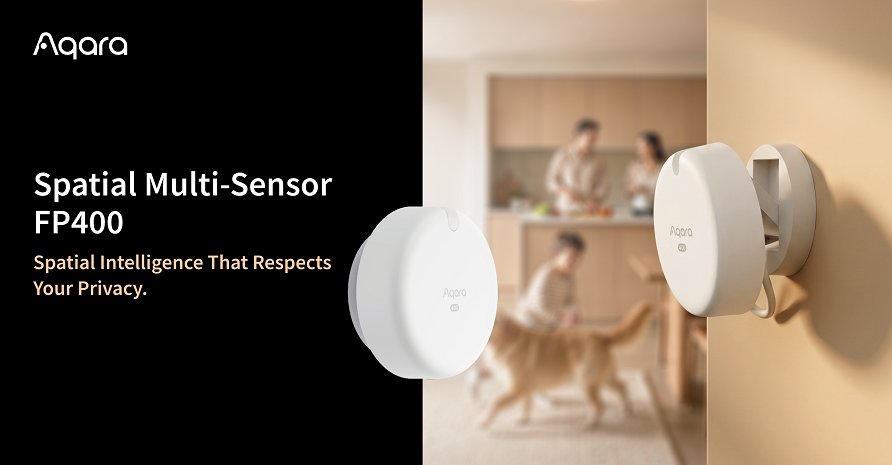
One more for Aqara fans. The same 20 October Matter Server beta added support for three of Aqara’s custom clusters on the Spatial Multi-Sensor FP400: ambient sensing configuration, radar sensing, and occupant location. In plain terms, that’s the groundwork for detection zones and real-time target positions without an Aqara hub. In our FP400 vs FP2 article, we flagged that the FP400’s zones needed a hub, so this is promising. But it’s groundwork. Home Assistant Core still has to expose these features before they’re easy to use. Don’t sell your hub yet.
Your Pre-Update Checklist
Before you install 2026.11 on your HDB setup:
- Take a full backup and copy it off the box.
- List your HACS installs, especially AppDaemon apps, Python scripts and YAML-defined dashboard resources.
- Remove abandoned custom integrations before migrating.
- Check your reverse proxy if you log in remotely through one, because of the new “Invalid client id” check.
- Wait for 2026.11.1 unless you’re keen to test.
- After updating, update the Matter Server app too, then re-check any Matter cameras.
- Expect renamed dashboard tiles, and set explicit card names where the new ones are too long.
If you’re running Home Assistant on an ageing Raspberry Pi and thinking about a hardware upgrade at the same time, our Home Assistant hardware guide covers what makes sense at today’s inflated RAM prices.
The Verdict
2026.11 makes Home Assistant feel more finished. The thing everyone already used, HACS, is now part of the product, and the camera standard the industry spent years arguing about finally shows up on your dashboard. For a Singapore household with an Aqara G350 and a Thread network, this is the release where Matter cameras start to be practical, rather than a logo on the box.
But move carefully. Your custom integrations are still unvetted community code, talkback needs HTTPS that most flats haven’t set up, and camera support depends on a Matter Server update that may land after Core. Back up, wait for the patch release, and spend the time tidying your HACS list. Your future self will thank you.