Singapore had roughly 317,000 migrant domestic workers as at the end of 2025, according to Ministry of Manpower figures, spread across close to a quarter of a million households. Almost none of the smart home buying guides written for this market — including, I’ll admit, most of the ones on this site — acknowledge that a live-in helper changes the problem completely.
A smart home built for a family of four assumes everyone in the house is a principal. Add a live-in helper and you’ve created something genuinely different: a household that is also a workplace, with a resident employee who has a legal right to privacy in parts of the home, who needs physical access to the flat at hours you’re not there, and who did not choose any of the technology you installed.
Get this wrong and the consequences run from an awkward conversation to a Work Permit revocation to, in the worst cases, a criminal charge. Get it right and you end up with something better than a pile of cameras: an access system that doesn’t rely on spare keys, and monitoring that answers the questions you actually have without surveilling someone in their own bedroom.
Here’s what Singapore’s rules actually say, what most local guides get wrong about them, and how to build a setup that stays on the right side of the line.
The rules, accurately
There are three separate bodies of rules in play here, and local articles routinely conflate them. They are not equally binding, and the one most often cited is the one that matters least.
MOM’s Work Permit conditions — this is the binding one
The Ministry of Manpower’s employer’s guide for migrant domestic workers sets two clear requirements if you install video recording devices at home:
- You must inform your helper that the devices exist and where they are placed. Not “she probably noticed the camera.” Told, explicitly.
- Cameras must not be installed in areas that compromise her privacy or modesty — where she sleeps, where she changes her clothes, or bathroom and toilet areas.
These aren’t advisory good practice. Work Permit conditions sit under the Employment of Foreign Manpower Act, and breaching them is an offence. MOM can impose financial penalties, suspend or revoke your Work Permit privileges, and bar you from employing a helper at all. The same framework covers the mandatory rest day rule that took effect on 1 January 2023 — at least one rest day a month that cannot be compensated away with pay, deferrable by at most one calendar month.
The Penal Code — the one with real teeth
Section 377BB of the Penal Code, in force since 2020, covers voyeurism: recording someone doing a private act, or recording an image of private parts not usually visible, without their consent and knowing they wouldn’t consent. Penalties under 377BB(7) run to up to two years’ imprisonment, a fine, caning, or a combination of all three.
A camera pointed into a bathroom or a helper’s bedroom is not merely a rule breach that gets you a stern letter. Depending on what it captures, it is potentially a criminal matter. This is the part worth taking seriously, and it applies to hidden cameras with particular force — the “I installed it but didn’t tell her” scenario is precisely the fact pattern that turns an administrative problem into a criminal one.
The PDPA — mostly not what you think
Here’s where nearly every local guide goes wrong. You’ll read, repeatedly, that installing a camera in your helper’s room “violates the PDPA.” That is, in most household cases, simply not how the Act works.
Section 4(1)(a) of the Personal Data Protection Act provides that the Data Protection Provisions — Parts III to VI — do not impose obligations on an individual acting in a personal or domestic capacity. The PDPC’s own advisory guidelines define “domestic” as related to home or family. A homeowner running cameras inside their own home for household security is generally acting in exactly that capacity.
Where the PDPA genuinely bites is when the context shifts to an organisation: your condo’s management corporation running common-area CCTV, your Town Council’s corridor cameras, a business recording customers. Those are organisations collecting personal data in the course of their activities, and the full consent-and-notification apparatus applies.
I’m not raising this to give anyone a loophole. I’m raising it because getting the legal basis wrong makes people complacent about the rules that do apply. “It’s fine, the PDPA has a domestic exemption” is true and completely irrelevant to MOM’s Work Permit conditions, which bind you regardless. Treat MOM’s two rules and the Penal Code as the operative constraints. This is a technology column, not legal advice — if you’re in a genuinely borderline situation, ask a lawyer, not a smart home blog.
Stop giving out spare keys — this is the real win
The single most useful thing a smart home does for a household with a helper has nothing to do with cameras. It’s access control.
The default arrangement in most Singapore flats is a spare key, or a shared PIN that everyone in the household knows and nobody has changed since the helper before last. That’s bad security and bad record-keeping simultaneously: you can’t tell who came and went, you can’t revoke access without recutting keys or resetting the whole code, and a departing helper walks out with working access to your home.
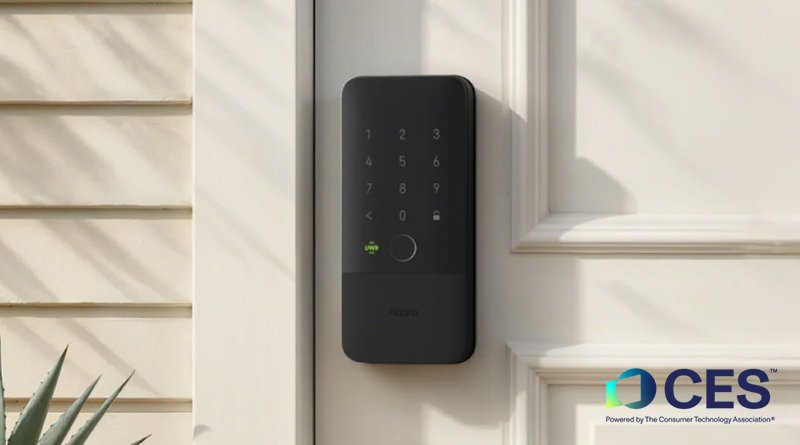
A smart lock with per-user credentials fixes all of it. Your helper gets her own PIN or fingerprint, distinct from yours. The lock logs which credential opened the door and when. When employment ends, you delete one credential — not change everyone’s.
Capacity is not a constraint. Aqara quotes the U300 at 50 fingerprints, 75 passwords, 10 NFC records and 10 Matter users; HomeSmart’s smart lock buying guide puts around 50 PIN codes as the general figure across the range. You will not run out.
What to actually buy, at Singapore prices:
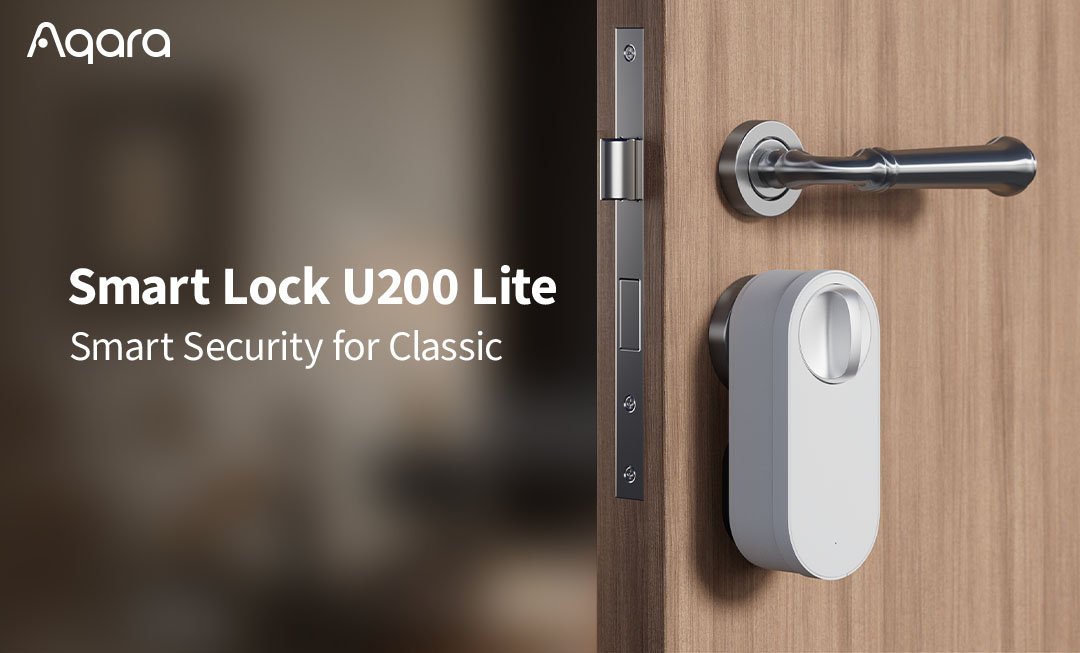
- Aqara U200 Lite — S$259. The retrofit option. Keeps your existing mortise and cylinder, adds a keypad. The cheapest credible way to get per-user codes onto an HDB main door without replacing the lock body. The full U200 kit runs S$369–499.
- Aqara U300 — S$359–479. Single-latch lever lock. Supports offline one-time passwords and periodic passwords, with up to eight one-time codes generatable per hour.
- Aqara U100 Gate Lock — S$699. Don’t forget the metal gate. In most HDB flats the gate is what’s actually locked during the day, and a smart main door paired with a keyed gate gets you nothing.
The feature that matters most here is the temporary and periodic passcode. A periodic code that only works between 8am and 7pm handles a part-time helper cleanly. A one-time offline code — generated on your phone, valid for a single entry, no internet connection needed at the lock — handles the aircon servicing guy without giving anyone a permanent credential. If you’re weighing lock types more broadly, our digital lock vs smart lock comparison covers HDB fire-rated door compliance in detail, and Aliro and UWB hands-free unlocking covers what’s coming next.
One caution worth stating plainly: access logs are a security tool, not a timesheet. Using door logs to police whether your helper left the flat during her rest day is the kind of thing that gets a household reported, and rightly.
Cameras: fewer, better placed, honestly disclosed
If you’re putting cameras in, the design brief is narrow. Entry points and shared living areas — main door, living room, kitchen. Nothing pointed at a bedroom door, nothing in a bathroom, nothing in the helper’s room. Not “angled away from.” Not there at all.
Then tell her. In writing, ideally at the start of employment, alongside the rest of the house rules. This costs nothing and satisfies MOM’s disclosure requirement in a way you can actually evidence later.
Three features are worth paying for:
A physical privacy shutter. Software “privacy mode” is a promise; a lens that physically retracts is a fact. The Aqara Camera Hub G3 (S$199, 2K at 2304×1296, 360° pan and tilt, doubles as a Zigbee hub) slides its lens up into the housing until it’s hidden — driven from the Aqara app’s sleep mode. It’s the most visibly trustworthy camera in the range precisely because anyone in the room can see whether it’s watching. The Camera E1 (S$129) achieves something similar more crudely by rotating to face the wall.
Local recording. Cloud footage of your household staff sitting on someone else’s server is an unforced risk. Most Aqara cameras take a microSD card up to 512GB; the Camera Hub G5 Pro (S$399 Wi-Fi, S$469 PoE) has 32GB of eMMC built in and also acts as a Thread border router and Matter controller. All seven models in HomeSmart’s Aqara camera comparison support HomeKit Secure Video, which keeps analysis on your own home hub. Our guide to no-cloud local recording setups goes deeper on NVR options.
An outdoor-rated unit for the corridor side. The Camera G100 at S$89 is 1080p with a 140° field of view, IP65 rating and on-device human detection. Note that HDB corridor-facing cameras need Town Council approval — that’s a separate permission from anything discussed above.
Turn audio recording off. The legal position on recording conversations in a Singapore home is genuinely murky — the domestic exemption cuts one way, breach of confidence and general expectations of privacy cut another, and MOM’s guidance doesn’t address audio explicitly. Given that ambient audio adds almost nothing to home security, disabling it removes an entire category of risk for no practical cost. Do it.
The better answer: sensors instead of cameras
Most of what people install cameras for isn’t actually a video question. Ask what you’re really trying to know:
- Did the kids get home? A door and window sensor on the main door with a push notification. No footage required.
- Is anyone in the flat right now? An Aqara FP2 presence sensor uses mmWave radar to detect occupancy without producing an image at all — see our FP300 vs FP2 comparison for which suits which room.
- Is the helper’s room getting unbearable in the afternoon? A climate sensor W100 reports temperature and humidity. This is monitoring the room, not the person — and in a bomb-shelter bedroom with no window, it’s the difference between noticing a genuine welfare problem and not.
- Did someone leave the tap running? A water leak sensor under the sink.
Radar presence sensing is the standout here. It gives you occupancy, and occupancy is what nearly every useful automation actually needs — lights, aircon, alarm arming. It cannot identify anyone, cannot be leaked as footage, and raises no modesty question whatsoever. It is, in the specific context of a household with a live-in employee, the single most underrated category of device on the market. The same logic drives our privacy-first recommendations for elderly households, where the ethics are near-identical.
A subscription-free alarm system built on contact and motion sensors covers intrusion without a single camera pointed at anyone.
Things not to do
- Don’t install anything covertly. Hidden cameras defeat MOM’s disclosure requirement by definition and are the fact pattern most likely to attract a 377BB charge.
- Don’t put a camera in the helper’s room, however small the room. Bomb shelter, box room, corner of the utility area — if she sleeps there, no camera. There is no square-footage exception.
- Don’t share footage. Clips of your helper posted to a family WhatsApp group, a maid agency, or Facebook are how a private household matter becomes a public one.
- Don’t use a single shared PIN. It defeats the entire point of an access log and makes revocation impossible.
- Don’t let the cameras run on cloud accounts you’ve stopped paying for. Devices whose vendors pull the plug turn into expensive plastic — see how to avoid getting bricked.
- Don’t leave the whole lot on your main Wi-Fi. Segmenting IoT devices limits what a compromised camera can reach.
A sensible baseline
For a typical four-room HDB flat with a live-in helper, roughly S$600–900 gets you the whole thing done properly: a U200 Lite on the main door at S$259 with a dedicated credential for each household member, a G3 in the living area at S$199 with its shutter visible to everyone in the room, an FP2 for occupancy-driven automation, and a handful of contact and climate sensors. Add the U100 gate lock if your gate is the one that actually gets locked.
Then write the camera locations into your house rules on day one, and turn the audio off.
The technology here is genuinely good. Per-user credentials with revocable access and an audit trail are better security than any spare key arrangement, and radar occupancy sensing answers most monitoring questions without recording anyone. The failure mode in Singapore households isn’t that people buy the wrong devices — it’s that they buy cameras when they needed sensors, and point them at the one room where they were never allowed to.