SwitchBot launched the Hub 4 on 16 November. The main new feature is a voice assistant. Say “Hello Kata” from across the room and the hub can switch on the aircon, run a scene or close the curtains without you finding your phone. It also has a bigger colour screen, a dial, a speaker and the same infrared blaster that made earlier SwitchBot hubs a common way to get aircons into a smart home.
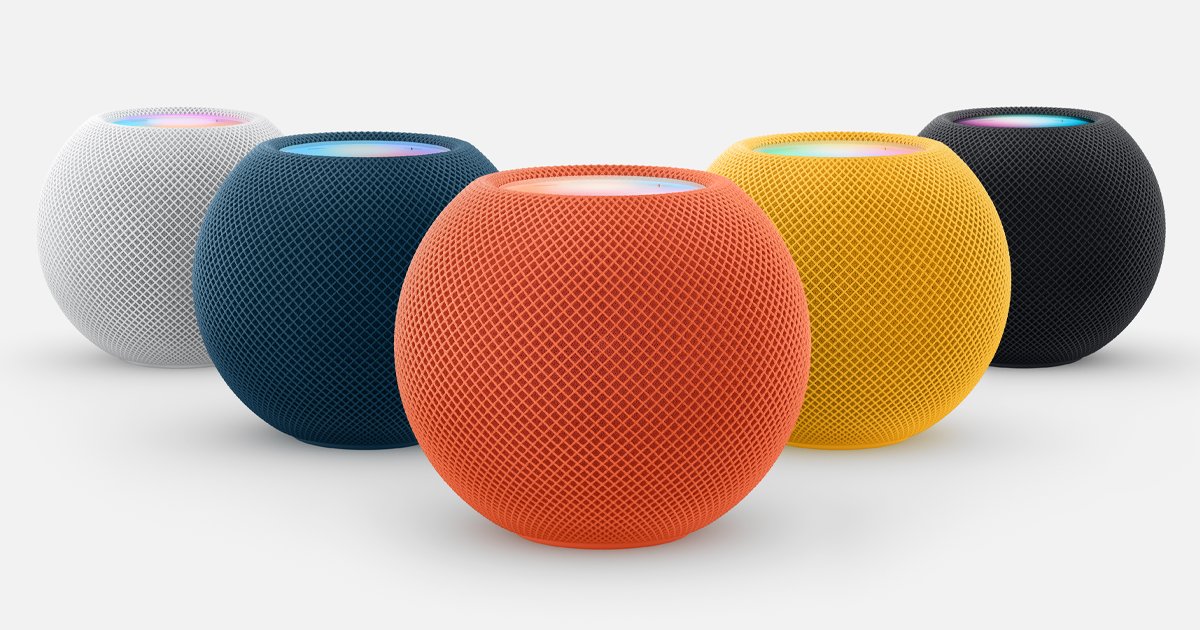
That’s interesting in Singapore because there aren’t many official voice options here. Google’s own smart displays have almost disappeared from local shelves (we found one Nest Hub listed, and it was out of stock). For most HDB owners that leaves Apple’s Siri, on a HomePod mini 2 (S$199) or the new HomeView (S$399). A US$119.99 box that controls your aircon by voice could fill that gap.
It has three catches, though. It isn’t sold in Singapore yet. The voice assistant works only through the cloud. And if what you actually want is your aircon in Apple Home or Google Home, a cheaper SwitchBot hub already does that. Here’s what the Hub 4 does, what it doesn’t, and who should wait for it.
What the Hub 4 Is
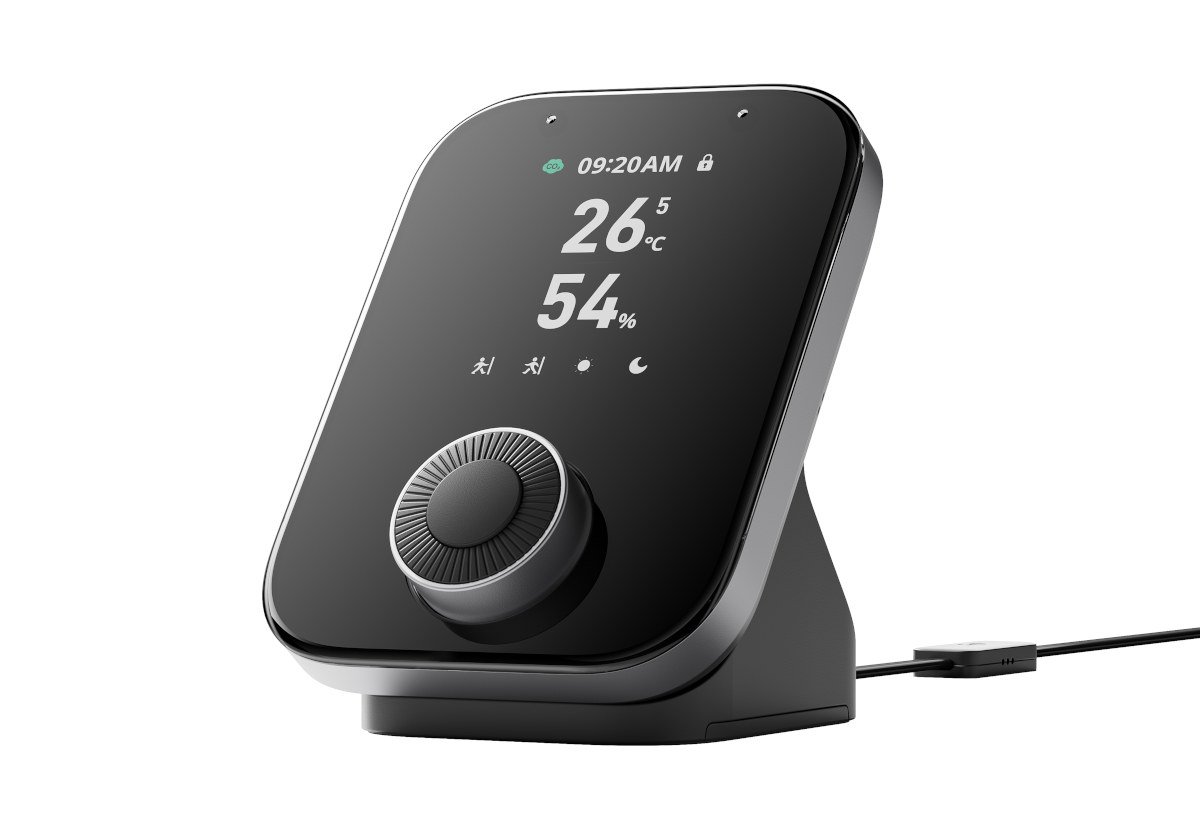
The Hub 4 is a tabletop box measuring 126 × 94 × 38 mm and weighing 190 g. According to CNX Software’s spec breakdown, it has:
- Screen and controls: a 2.8-inch IPS colour display (240 × 320) with a touch area along the bottom, a dial, and four shortcuts you can set yourself. The screen shows the time, weather, room temperature and humidity, and device status.
- Audio: a 2 W full-range speaker and two omnidirectional microphones. The wake word works from about 3 m away.
- Infrared: four IR emitters and one receiver. SwitchBot says the code library covers more than 101,000 appliance models, including aircons, TVs, projectors, fans and streaming boxes. There’s also a learning mode for remotes that aren’t in the list.
- Sensors: temperature and humidity, ambient light and motion.
- Wireless: 2.4 GHz Wi-Fi and Bluetooth. Bluetooth is how it talks to SwitchBot’s locks, curtain robots, Bots and meters.
- Power: 5 V/2 A over USB-C, with an adapter in the box. There’s also a USB-C output.
On the smart home side, it’s a Matter bridge (Matter 1.3). It can pass up to 30 devices through to Apple Home, Google Home, Alexa, SmartThings or Home Assistant. Three of those 30 slots are taken by the hub’s own motion, temperature and humidity sensors, so you have 27 left for curtains, locks, Bots and IR remotes.
It is not a Thread border router, and it has no Zigbee radio. That’s normal for SwitchBot, but you should know it before you buy. If you’re building around Thread devices such as IKEA’s new range or Aqara’s latest lights, the Hub 4 adds nothing there.
Pricing is US$119.99, £129.99, €129.99 or CA$149.99. It’s sold through SwitchBot’s own stores and Amazon in the US, Canada, UK and Europe. We couldn’t find a Singapore listing when we checked. At current exchange rates the US price works out to about S$155, before shipping and the 9% GST on imports.
“Hello Kata”: What the Voice Assistant Does
Earlier numbered SwitchBot hubs had no microphone. To talk to them you went through Alexa, Google Assistant or Siri. CNX notes that the Hub 3 still relies on an external assistant for voice. The Hub 4 is the first in the series with its own assistant, which SwitchBot calls Kata.
SwitchBot and early coverage list what Kata can do:
- Control a single device (“turn on the bedroom aircon”) or several in one request
- Run scenes you’ve already built in the SwitchBot app
- Set alarms
- Answer calendar questions
Matter Alpha’s launch report describes Kata adjusting settings and switching lights and robot vacuums on and off. Early reviews note that it doesn’t build automations, though. You still make those in the app.
For a Singapore bedroom, the obvious use is lying in bed and saying “Hello Kata, set the aircon to 25” instead of looking for the remote. If you have an old aircon without Wi-Fi and no smart speaker in the room, that’s a real improvement. We compared IR control with native Wi-Fi adapters in our aircon control guide. For older non-inverter units, or any unit where the Wi-Fi kit costs more than a hub, IR is still the cheapest route.
The cloud catch
Kata isn’t local. Notebookcheck points out that IR commands you’ve already set up keep working without internet, but Hello Kata needs a connection. German smart home site simon42 read SwitchBot’s privacy policy for the voice feature and reports that:
- Your speech goes to a third-party cloud speech-recognition service.
- The transcribed text then goes to a third-party large language model.
- SwitchBot says the recordings are deleted after transcription.
- Chat history is kept only if you opt in, and for up to 30 days.
So Kata works much like Alexa, not like a local voice assistant. That matters for two reasons.
First, outages. When a fibre cut took Bishan offline for 16 hours earlier this year, the homes that kept working were the ones with local control. With the Hub 4, the dial, the touchscreen and your saved IR controls should keep working during an outage, but “Hello Kata” won’t.
Second, where it sits. The Hub 4 has to see your aircon’s indoor unit to send IR, so in most HDB flats it’ll be in the bedroom. That puts an always-listening cloud microphone next to your bed. Some people won’t mind. If you’d rather not have one there, our guide to private, local voice assistants covers the alternatives.
Languages
SwitchBot hasn’t published a list of languages Hello Kata supports. Its launch markets are English-speaking countries plus Germany, France and the rest of Europe, so English should be safe. Nobody has tested it yet with Singaporean accents or phrases like “on the aircon”. Siri and Google Assistant have had years of local voice data. Kata hasn’t.
Do You Actually Need the Hub 4 to Get Your Aircon Into Apple Home?
No. If your goal is to control the aircon from Apple Home, Google Home or Home Assistant, you don’t need the Hub 4. SwitchBot’s IR-to-Matter bridge has been available on cheaper hubs for a while.
According to SwitchBot’s own Matter compatibility guide, the Hub Mini (Matter Enabled), Hub 2, Hub 3 and AI Hub can bridge infrared remotes into Matter. In Apple Home, an aircon remote gets on/off, cool, heat and a temperature setting. Other IR appliances, such as a dumb fan or TV, get on/off only. Once the aircon shows up in Apple Home, Siri on your HomePod can control it by voice, and Siri has offered a Singapore English option for years.
The Hub 4 is new enough that we’d check this list again before buying. Its product material promises Matter bridging for 30 sub-devices, but we couldn’t find a SwitchBot document yet that sets out what IR features the Hub 4 passes through to Matter.
Here’s how the current hubs compare:
| Hub Mini (Matter Enabled) | Hub 2 | Hub 3 | Hub 4 | |
|---|---|---|---|---|
| Voice assistant built in | No | No | No | Yes (Hello Kata, cloud) |
| Screen | No | Small display | Display + dial | 2.8" colour + dial |
| Temperature/humidity sensor | Only with optional sensor cable | Yes (in the cable) | Yes | Yes |
| Devices it can pass to Apple/Google | 4 | 8 (incl. its own temp/humidity) | 30 | 30 (incl. 3 for its own sensors) |
| Thread border router | No | No | No | No |
| Singapore price | Around S$59 earlier this year | S$64 at Courts (RRP S$109), out of stock when checked | Not found locally | Not sold here yet |
Three notes on the table. The Hub Mini’s limit of four is easy to hit: an aircon, a TV and two curtain robots fill it. We listed the Hub Mini at about S$59 in our IR blaster guide in April, so check today’s price before buying. And the Hub 2’s eight-device limit includes its own temperature and humidity readings, which leaves six slots for everything else. That’s enough for an aircon, a TV and a couple of curtain robots, but not for a whole flat.
The Courts listing for the Hub 2 showed S$64 against an RRP of S$109, but marked the item unavailable when we checked. Courts was clearing SwitchBot’s previous-generation Curtain 3 at around half price last week. If the Hub 2 comes back in stock at that price, it’s the value pick for one room.
Where the Hub 4 Fits in an HDB Flat
Infrared needs a clear line of sight, and HDB walls block it. So in practice you need one IR hub per room with an aircon. A typical four-room flat has three or four wall-mounted indoor units, so the hub price matters.
Most people will mix and match:
- Master bedroom or living room: the Hub 4, if you want voice and a screen showing room temperature and humidity on the bedside table. The motion sensor can also turn the lights on when you walk in.
- Other bedrooms: a Hub Mini (Matter Enabled) or Hub 2 for each room. They’re cheaper, control the aircon just as well, and you can use Siri or the app for voice.
- SwitchBot Bluetooth devices: curtain robots, the Lock Pro and Bots need a hub within Bluetooth range for remote and Matter control. The Hub 4 handles this like the others. If you already have a hub in that room, you don’t need another.
If you’re starting from scratch and live in Apple Home, buying a HomePod mini and a few cheap IR hubs is usually better value than buying several Hub 4s. The HomePod gives you Siri in every room it can hear, works as an Apple home hub, and is a Thread border router for the Matter-over-Thread devices you’ll eventually buy. HomeSmart sells the HomePod mini locally, and our HomeView piece explains how Apple’s home hub requirement works now.
If you’d rather have one box that does IR, Thread and Zigbee together, the Aqara Hub M3 is still the most complete single hub in this category. It’s a Matter controller and Thread border router with a built-in IR blaster, and it has a Zigbee radio for Aqara’s sensors. It has no voice assistant and no screen. We compared it with SwitchBot’s hubs in our IR blaster roundup.
Should You Import One?
If you already own a Hub 2 or Hub 3: no. You’d be paying S$170 or more once it lands for a microphone and a bigger screen. Ask Siri or Google instead.
If you’re a renter building a SwitchBot setup: maybe. The Hub 4 fits well with the no-drill SwitchBot approach. It sits on a shelf, needs no wiring and moves with you. One box gives you a voice remote for the aircon, a temperature display and a Bluetooth gateway for curtains and Bots. Waiting a few months for local stock is still the safer bet. With local stock you get a local warranty, and a return doesn’t involve an overseas courier.
If you want voice control but don’t want to commit to Apple or Google: this is where the Hub 4 makes the most sense. Kata gives you voice control for your SwitchBot devices and IR appliances without a separate smart speaker ecosystem. Just accept that it’s a cloud assistant from a company that hasn’t said which languages it supports.
If privacy is the priority: skip it. A hub with a cloud microphone isn’t what you want next to the bed. Use a Hub 2 or Hub Mini for IR and a local voice option for speech.
On imports, check the plug. The Hub 4 runs on 5 V/2 A USB-C, so any decent USB-C charger will power it. You don’t need to rely on whatever plug the overseas box came with.
Our Take
The Hub 4 is SwitchBot’s best hub so far. It also mostly solves a problem Singapore Apple Home households have already solved. The voice assistant is a convenience for the bedroom aircon. It doesn’t change how your smart home works, and because it only works through the cloud, it’s the one feature that stops during an outage.
For most Singapore homes, the better plan is a Matter-capable SwitchBot hub in each aircon room, plus the voice assistant you already own. Buy the Hub 4 if you want a screen and voice control on the bedside table and you’re not tied to Siri or Google. Otherwise, wait for local stock, and for someone to test whether Kata understands “on the aircon, 24 degrees”.