Why 2026 Is the Year to Take Energy Monitoring Seriously
Singapore’s regulated electricity tariff climbed to 29.72 cents per kWh (with GST) for the April–June 2026 quarter — a 2.1% bump over Q1. The Energy Market Authority has already signalled that steeper hikes are likely later in the year as natural gas costs feed through. If your monthly bill made you wince, you’re not alone.
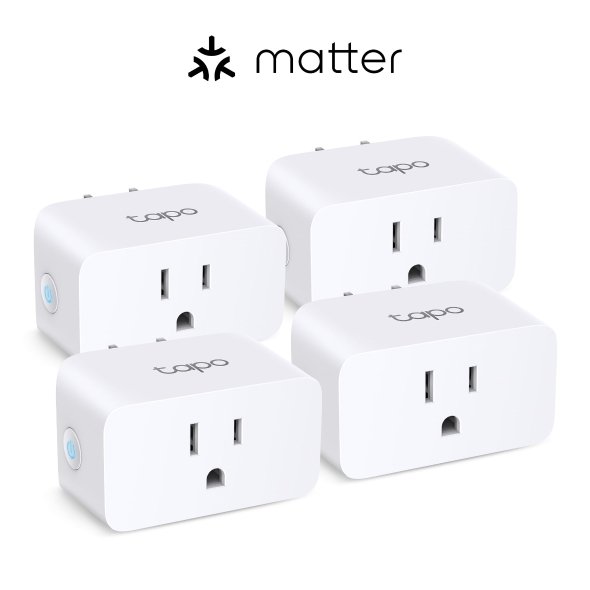
Smart plugs are a great first step, and I’ve covered the best ones with built-in metering in our smart plugs with energy monitoring guide. But a plug only measures one socket. Your biggest loads — the aircon compressors, the storage water heater, the induction hob, the instant heater in the bathroom — are hard-wired. They never touch a plug, which means they’re invisible to a smart plug strategy.
That’s where whole-home energy monitoring comes in. A small device sits in your distribution board (the “DB box” or consumer unit) and clamps a current transformer (CT) sensor around the main incoming cable. Suddenly you can see your entire home’s draw in real time, second by second, on your phone — and with the right setup, break it down circuit by circuit. This is the granular data that the SP smart meter rollout promises but rarely delivers in a usable, real-time form.
Let me walk you through what actually works in a Singapore HDB or condo, the hardware worth buying, and the one safety caveat you cannot skip.
The Singapore DB Box Reality: Single-Phase, Type G, and the LEW Question
Before you buy anything, you need to know what’s behind your DB box cover.
Most HDB flats and many condo units are single-phase. You’ll typically see a 230V supply with a main switch rated somewhere between 40A and 100A, feeding a row of MCBs (miniature circuit breakers) for lighting, power, aircon, water heater, and kitchen. A single-phase monitor is all you need here.
Larger condos, maisonettes, and most landed homes run three-phase. If you see three thick incoming cables and a three-pole main switch, you’re three-phase, and you’ll need a three-phase-capable monitor with three CT clamps.
Now the important part. CT clamps are genuinely non-invasive — they clip around a cable without cutting or disconnecting anything, and the monitor itself is usually powered by a separate live-neutral connection. But to fit them, you have to open the DB box and work in very close proximity to live, unfused mains busbars. In Singapore, electrical work in your consumer unit falls under the Energy Market Authority’s licensing regime, and the sensible, safe move is to engage a Licensed Electrical Worker (LEW) to do the install — especially in an HDB flat where you don’t own the building’s electrical infrastructure.
A competent LEW will fit any of the devices below in 30–45 minutes. Budget S$80–150 for the call-out and labour. Do not poke around a live DB box yourself to save that money; the busbars in there can kill you, and a botched install can trip your whole flat.
Shelly EM Gen3: The Local-First Pick for HDB Flats
For a typical single-phase HDB flat or condo, my top recommendation is the Shelly EM Gen3.
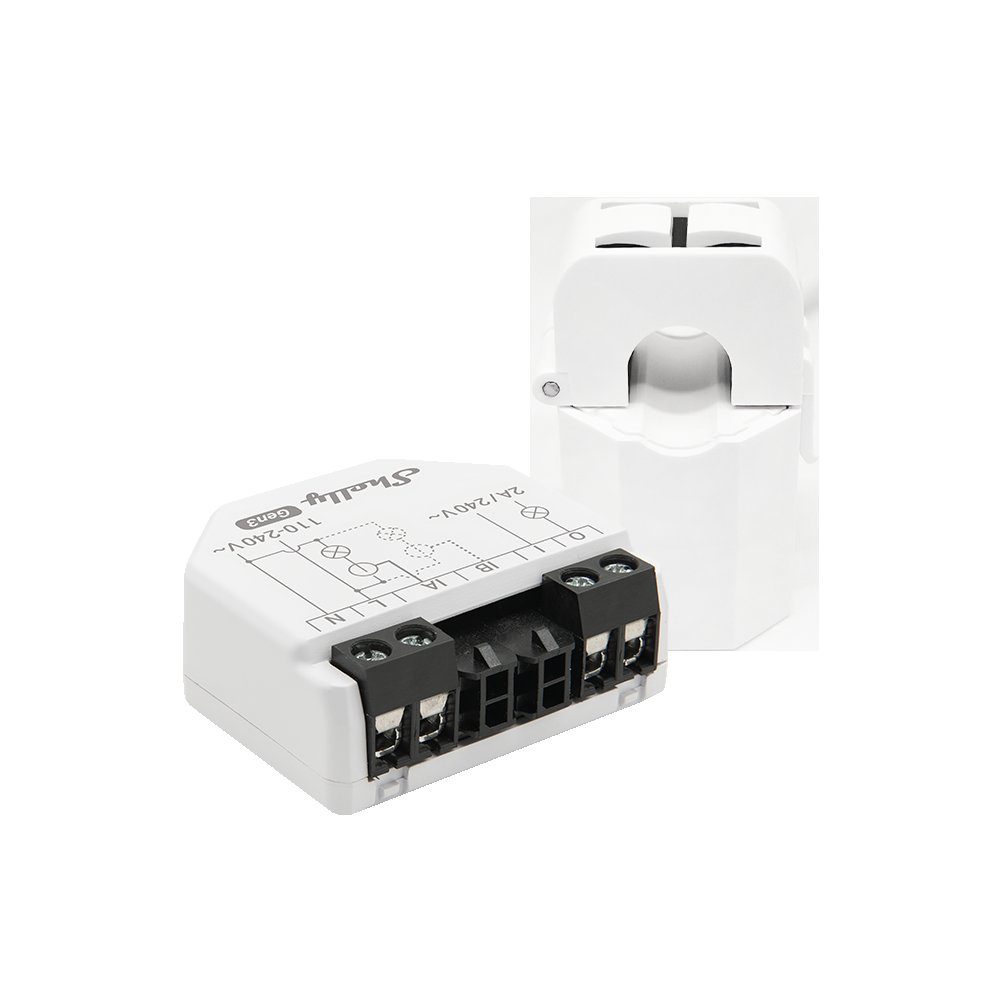
It’s a tiny module — small enough to tuck inside or beside the DB box — that supports up to two CT channels and ships with one 50A clamp. That two-channel design is the clever bit: you can put one clamp on the main incoming cable to measure total household consumption, and a second clamp on a dedicated circuit you care about, like the aircon or water heater MCB. Shelly quotes energy measurement accuracy within 1%, which is more than good enough for billing-level insight.
The reason I push the Shelly over most alternatives is that it’s local-first. It connects over Wi-Fi (with Bluetooth for setup) and exposes its data on your local network, so it slots straight into Home Assistant via the official Shelly integration or MQTT — no cloud account required, no subscription, no data leaving your flat. If you’re the kind of person who runs an Aqara Hub M3 or Home Assistant Green for local control, this is the energy monitor that matches that philosophy.
The Shelly EM Gen3 isn’t sold in mainstream Singapore retail, so you’ll be importing it — expect roughly S$60–90 for the unit with one clamp from Shelly’s distributors or the usual online channels, plus a bit more if you add a second 50A clamp. That’s remarkable value for whole-home visibility.
If your DB box has spare DIN-rail space and you prefer a neater, more permanent fit, look at the Shelly Pro EM-50 instead. It’s a DIN-rail-mounted, two-channel single-phase meter that ships with two 50A clamps, adds wired LAN connectivity (handy if your DB box is in a Wi-Fi dead spot near the front door), retains up to 60 days of minute-level data on-device, and includes a contactor-control output. It costs more than the EM Gen3 but it’s the cleaner professional install.
For three-phase landed homes, Shelly’s 3EM-63T Gen3 covers all three phases with the same local-first, Home Assistant-friendly approach.
Emporia Vue 3: When You Want Every Circuit Mapped
If your goal is to map everything — not just the whole-home total and one or two big loads, but every single circuit in the DB box — the Emporia Vue 3 is the device to beat.
The Vue 3 comes with two 200A main sensors and your choice of branch-circuit kits: the whole-home-only version is around US$99, the 8-circuit kit around US$149, and the 16-circuit kit around US$199 (roughly S$135–270 landed in Singapore once you account for shipping and GST). Those sixteen 50A branch clamps let you wrap one around every MCB in a busy DB box and see, in the app, exactly how much your aircon vs water heater vs kitchen vs lighting each cost you this month. There’s no mandatory subscription.
The catch is the trade-off against the Shelly: the Emporia’s stock experience is cloud-based, routing your data through Emporia’s app and servers. For most people that’s fine and the app is genuinely polished. But if local control and data privacy matter to you, note that the community has built local integrations for Home Assistant — it’s an extra step rather than the out-of-the-box experience Shelly offers.
One practical Singapore note: the Vue 3 supports single-phase two-wire, split-phase, and three-phase four-wire (Wye) systems. Our single-phase HDB supply is the simplest case, but if you’re in a three-phase landed home, confirm with your LEW that your configuration matches before ordering extra main sensors.
The Emporia is the pick for the data nerd who wants the full circuit-level breakdown and doesn’t mind the cloud. The Shelly is the pick for the person who wants clean local data and only really cares about the big offenders.
Don’t Forget the Free Option: Your SP Smart Meter
Here’s the honest caveat to all of the above: you may already have a perfectly good energy meter — SP Group’s Advanced Metering Infrastructure smart meter. As the island-wide rollout progresses, more HDB and condo households can view their half-hourly consumption in the SP app without buying anything or opening any DB box. I dug into how to actually use that data in our Singapore smart meter rollout guide.
So why bother with a Shelly or Emporia? Two reasons. First, granularity: the SP meter gives you the household total in half-hour blocks, a day or so after the fact. A dedicated monitor gives you live, second-by-second data and per-circuit breakdown, so you can literally watch your bill move when the aircon compressor kicks in. Second, automation: a Shelly or Emporia feeds your smart home platform, so you can trigger actions — like a push notification when daily usage crosses a threshold, or turning off non-essential loads when total draw spikes — that the SP meter simply can’t do.
If you just want to know roughly where your money goes, the SP app is free and good enough. If you want to actively manage and automate consumption, a dedicated monitor earns its keep.
Putting It All Together with Home Assistant
The real magic happens when whole-home data lands in the Home Assistant Energy dashboard. Point it at your Shelly EM’s total-consumption sensor, enter your 29.72-cent tariff, and you get a clean breakdown of daily, weekly, and monthly cost in real Singapore dollars. Add per-circuit sensors and you can finally answer the question every Singaporean household argues about: is it the aircon or the water heater that’s eating the bill? (Spoiler: in our climate, it’s usually the aircon, but the storage heater is a closer second than most people expect.)
From there, automations write themselves. Push a notification to your phone when today’s spend passes S$5. Flash an Aqara smart plug-controlled lamp red when total household draw exceeds a set wattage. Log which appliance you forgot to switch off before flying off on holiday. This is where energy monitoring stops being a dashboard you check once and forget, and becomes a system that actively trims your bill.
My Verdict
For most Singapore HDB and condo households, the Shelly EM Gen3 is the sweet spot: cheap, local-first, Home Assistant-ready, and capable of monitoring your total plus one big circuit. Get an LEW to install it, point it at Home Assistant, and you’ll have better visibility into your electricity than 99% of households on the island.
Step up to the Shelly Pro EM-50 if you want a tidy DIN-rail install with wired LAN, or the Emporia Vue 3 if you genuinely want every circuit mapped and don’t mind the cloud. And before you buy anything, open the SP app — if your smart meter is already live, you might get most of what you need for free.
Whatever you choose, the principle holds: you can’t manage what you can’t measure. With tariffs heading higher through 2026, the few dollars and one LEW visit it takes to see your real consumption is one of the highest-return smart home upgrades you can make this year.